Hint : If the defective symptom (e.g. Vertical bar or Horizontal bar) is moved by selection of this mirror, the possible cause is in
A-board.
6.3 Service tool mode
6.3.1 How to access
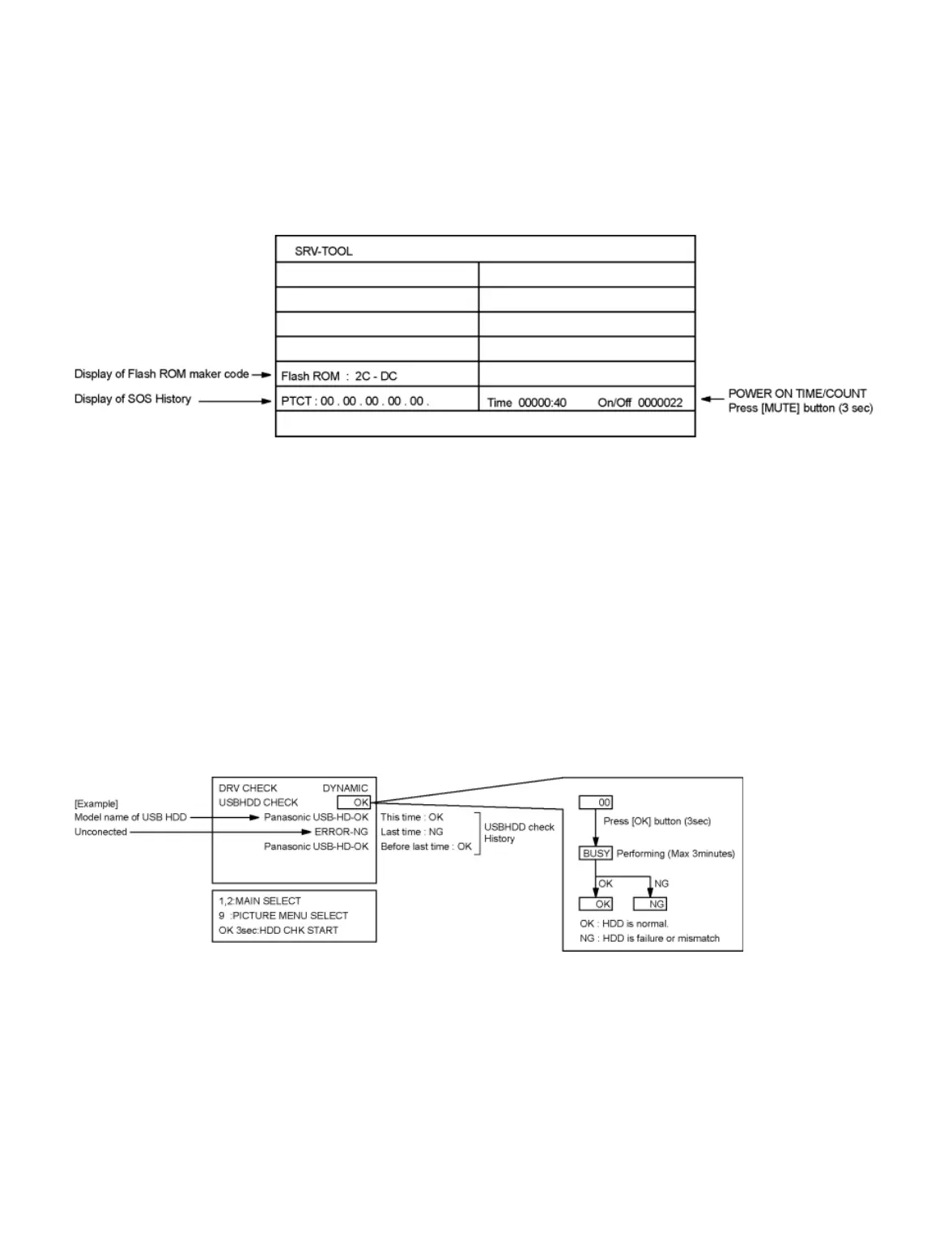
1. Select [SRV-TOOL] in Service Mode.
2. Press [OK] button on the remote control.
6.3.2 Display of SOS History
SOS History (Number of LED blinking) indication.
From left side; Last SOS, before Last, three occurrence before, 2nd occurrence after shipment, 1st occurrence after shipment.
This indication will be cleared by [Self-check indication and forced to factory shipment setting].
6.3.3 POWER ON Time, On/Off
Note : To display TIME/COUNT menu, highlight position, then press MUTE for 3 sec.
Time : Cumulative power on time, indicated hour : minute by decimal
On/Off : Number of On/Off switching by decimal
Note : This indication will not be cleared by either of the self-checks or any other command.
6.3.4 Exit
Disconnect the AC cord from wall outlet or switch off the power with [ Power ] button on the main unit.
6.4 DRV Check - USBHDD Check
1. Select [DRV Check - USBHDD Check] in Service Mode.
2. Press [OK] button on the remote control for more than 3 seconds.
6.5 Hotel mode
1. Purpose
Restrict a function for hotels.
2. Access command to the Hotel mode setup menu
In order to display the Hotel mode setup menu:
While pressing [VOLUME (-)] button of the main unit, press [AV] button of the remote control three times within 2 seconds.
Then, the Hotel mode setup menu is displayed.









 To Next Page