EasyManua.ls Logo

Panasonic TX-P65VT60E - Power LED Blinking Pattern Error Codes; No Power Troubleshooting Guide; No Picture Troubleshooting Guide

Panasonic TX-P65VT60E
95 pages
Print Icon
To Next Page IconTo Next Page
To Previous Page IconTo Previous Page
Loading...
7.2 Power LED Blinking timing chart
1. Subject
Information of LED Flashing timing chart.
2. Contents
When an abnormality has occurred the unit, the protection circuit operates and reset to the stand by mode. At this time, the defective block
can be identified by the number of blinks of the Power LED on the front panel of the unit.
* Use SC jig to isolate the board.
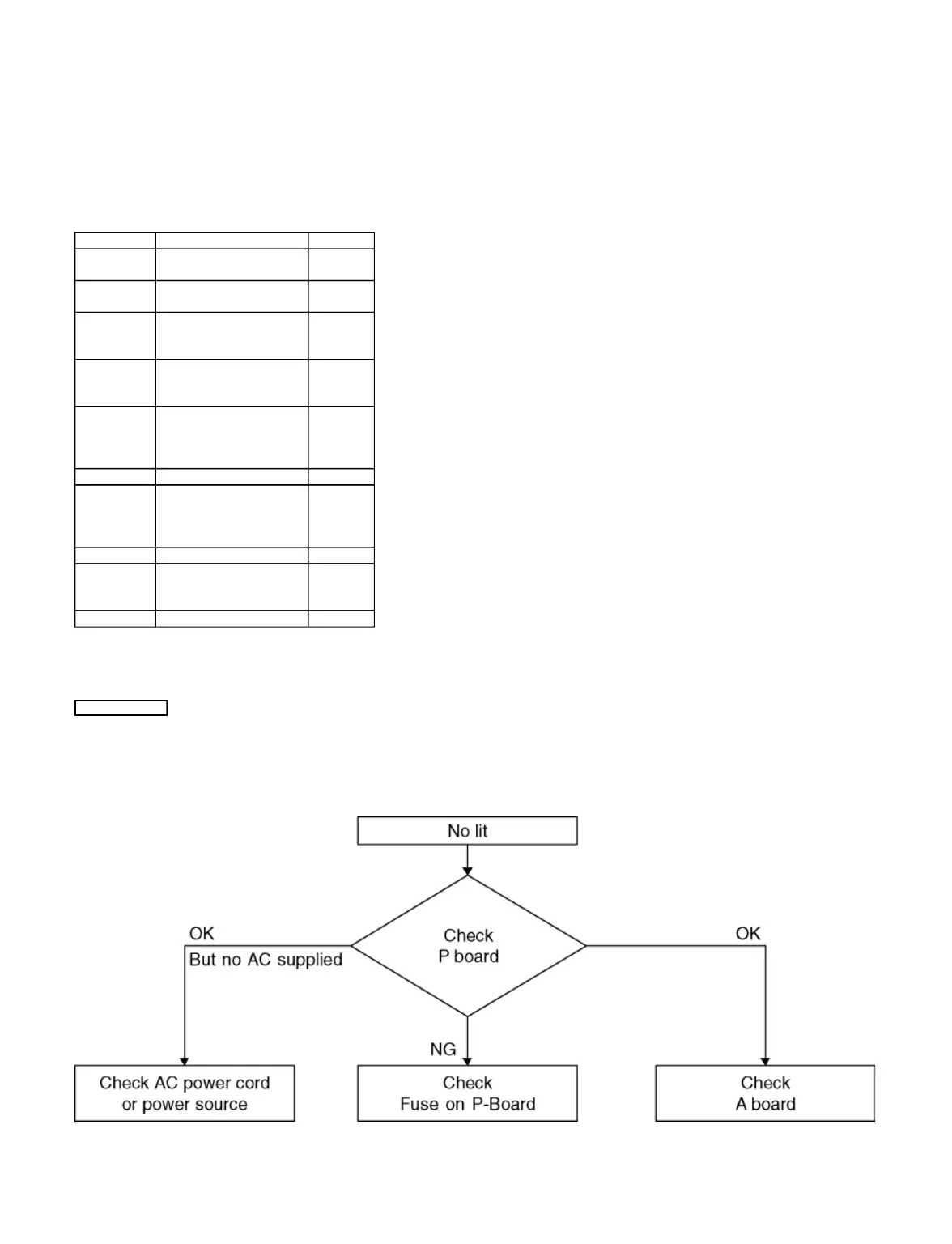
7.3 No Power
First check point
There are following 3 states of No Power indication by power LED.
1. No lit
2. Green is lit then turns red blinking a few seconds later. (See Power LED Blinking timing chart)
3. Only red is lit.
7.4 No Picture

Blinking Times
Contents
Check point
1
Panel information SOS
PD Start SOS
-
2
P15V SOS
A-Board
P-Board
6
Driver SOS1
(SC Energy recovery circuit)
(A-SC FPC DET)
SC-Board
A-SC FPC
7
Driver SOS2
(SU/SD Connector DET)
(SU/SD Scan and Logic IC)
SU-Board
SD-Board
*
8
Driver SOS3
(SS FPC DET)
(SS Energy recovery circuit)
SS-Board
SS2-Board
SS FPC
SS2 FPC
9
Discharge Control SOS
A-Board
10
Sub 3.3V SOS
Tuner power SOS
A-Board
SC-Board
SS-Board
P-Board
11
Fan SOS
A-Board
12
Sound SOS
A-Board
Speaker
Woofer
13
Emergency SOS
A-Board
Page 2 of 3
1/3/2017
file://C:\Users\sh.dehghani\Desktop\New folder\TX-P65VT60EALLSVC_PCZ1304099CE\
...

Related product manuals