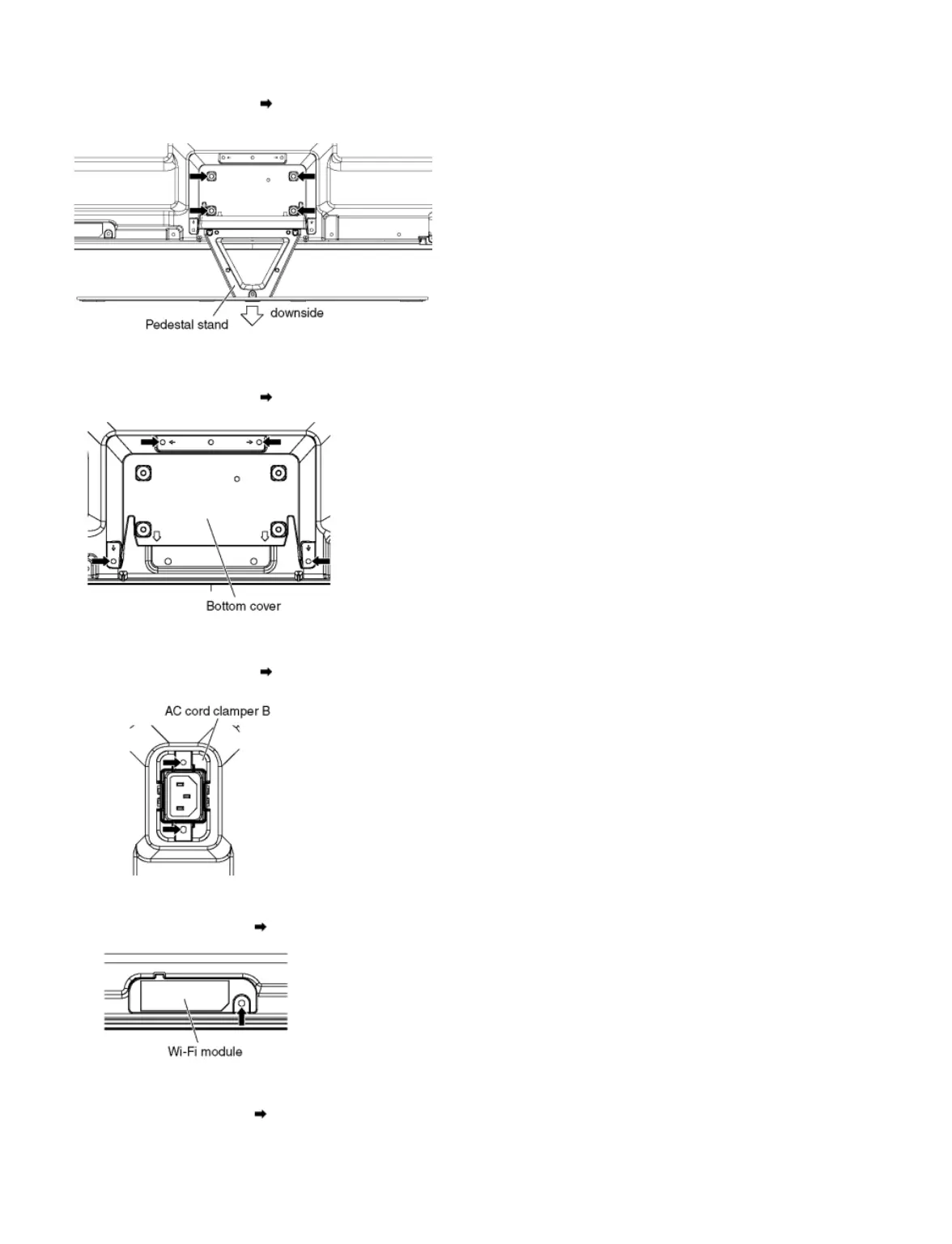
1. Remove the Plasma panel section from the servicing stand and lay on a flat surface such as a table (covered by a soft cloth) with the Plasma panel
surface facing downward.
2. Remove the screws (×4 )
3. Slide the Pedestal stand to the downside and remove the Pedestal stand.
9.2.2 Remove the Bottom cover
1. Remove the screws (×4 ) and remove the Bottom cover.
9.2.3 Remove the AC cord clamper B
1. Remove the screws (×2 ) and remove the AC cord clamper B.
9.2.4 Remove the Wi-Fi module
1. Remove the screw (×1 ) and remove the Wi-Fi module.
9.2.5 Remove the Bluetooth module
1. Remove the screw (×1 ) and remove the Dongle cover.









 To Next Page