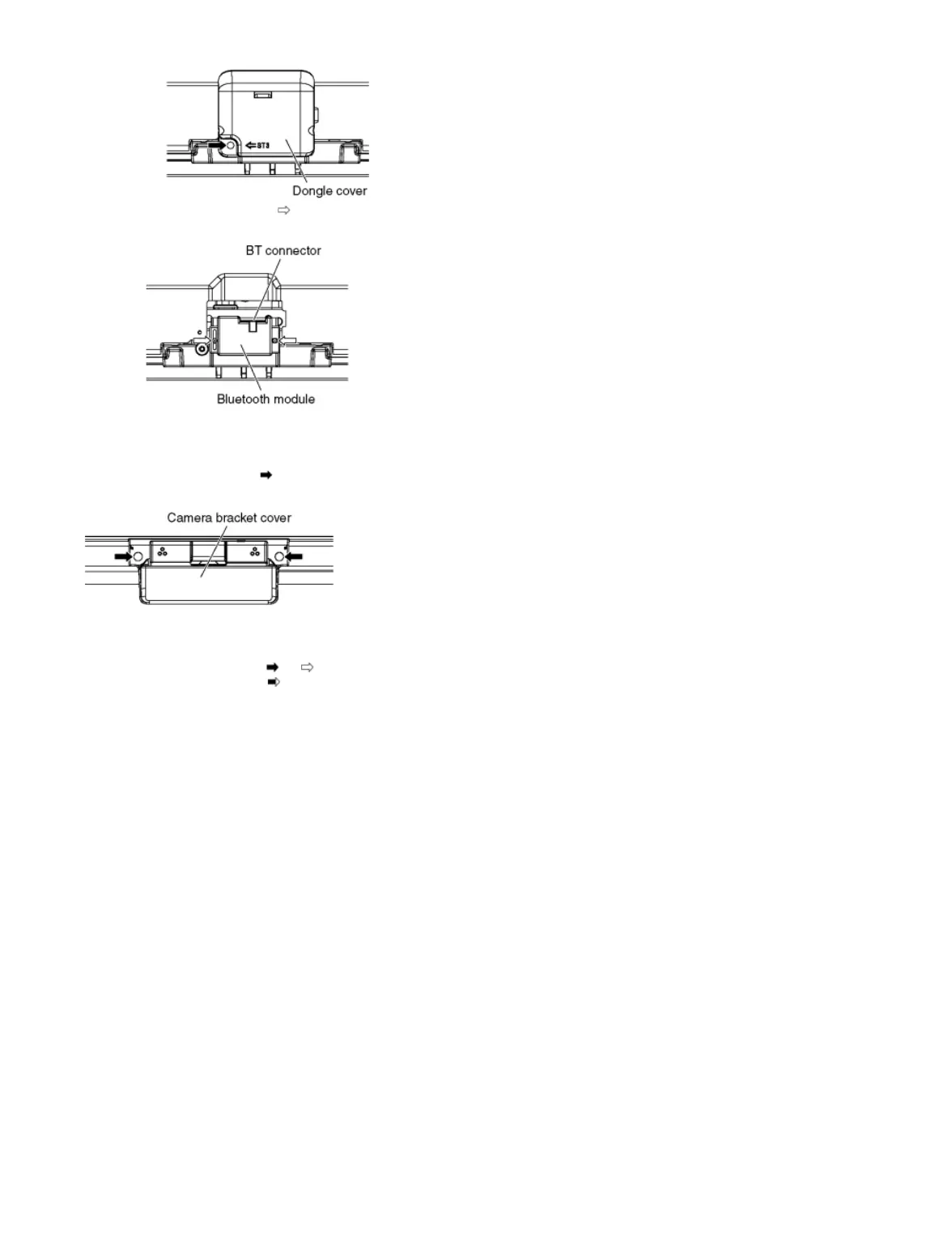
2. Remove the Pin guides (×2 ) and disconnect the BT connector.
3. Remove the Bluetooth module.
9.2.6 Remove the Camera bracket cover
1. Remove the screws (×2 ) and remove the Camera bracket cover.
9.2.7 Remove the Rear cover
1. Remove the screws (×33 , ×2 ).
2. Remove the M8 caps (×4 ).
3. Remove the Rear cover.









 To Next Page