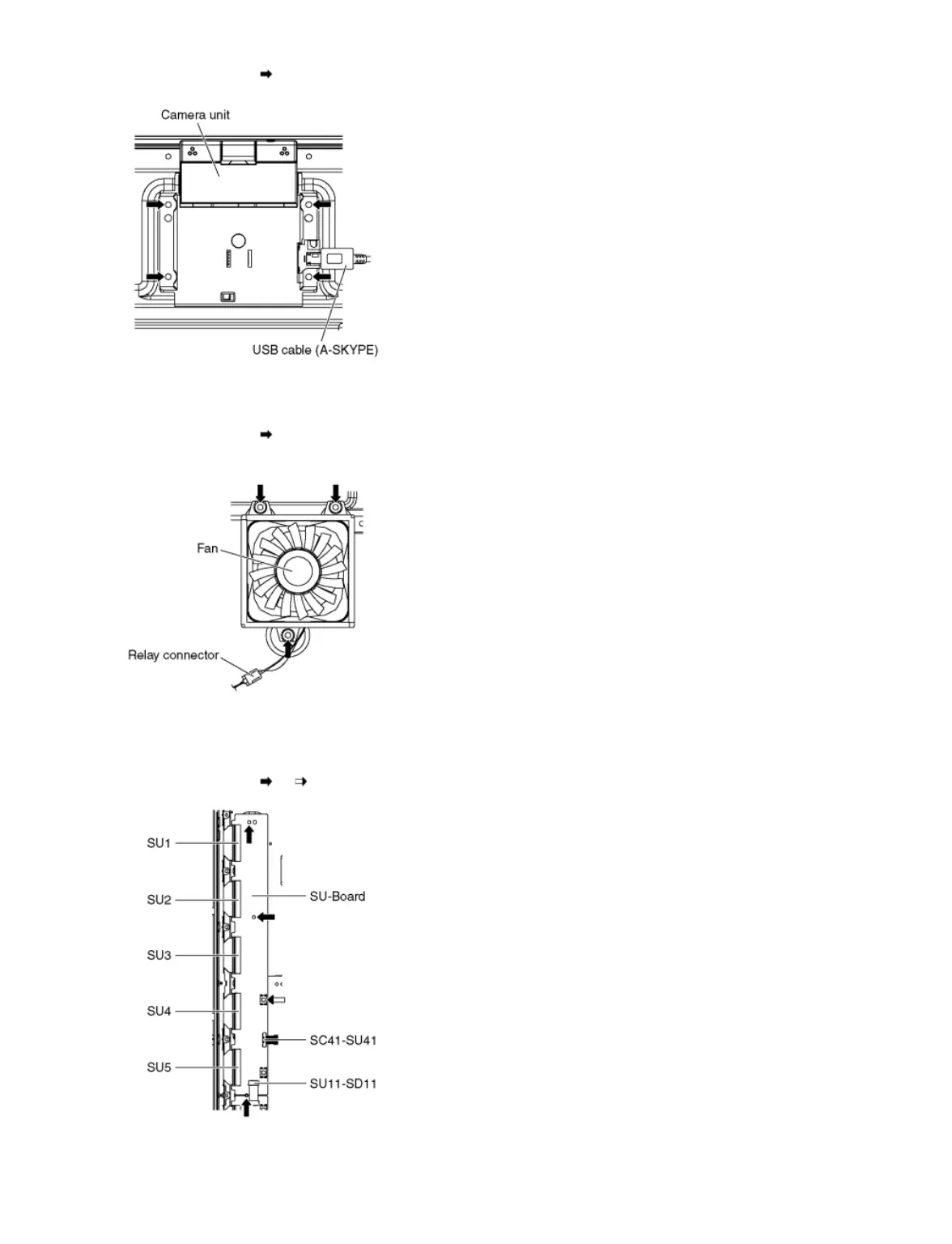
3. Remove the screws (×4 ) and remove the Camera unit.
9.2.16 Remove the Fan
1. Unlock the hooks and the tapes to free the cables.
2. Remove the screws (×3 each).
3. Disconnect the Relay connector and remove the Fans.
9.2.17 Remove the SU-Board
1. Disconnect the flexible cables (SU1, SU2, SU3, SU4 and SU5) connected to the SU-Board.
2. Disconnect the flexible cable (SU11-SD11) and the bridge connector (SC41-SU41).
3. Remove the screws (×3 , ×1 ) and remove the SU-Board.
9.2.18 Remove the SD-Board









 To Next Page