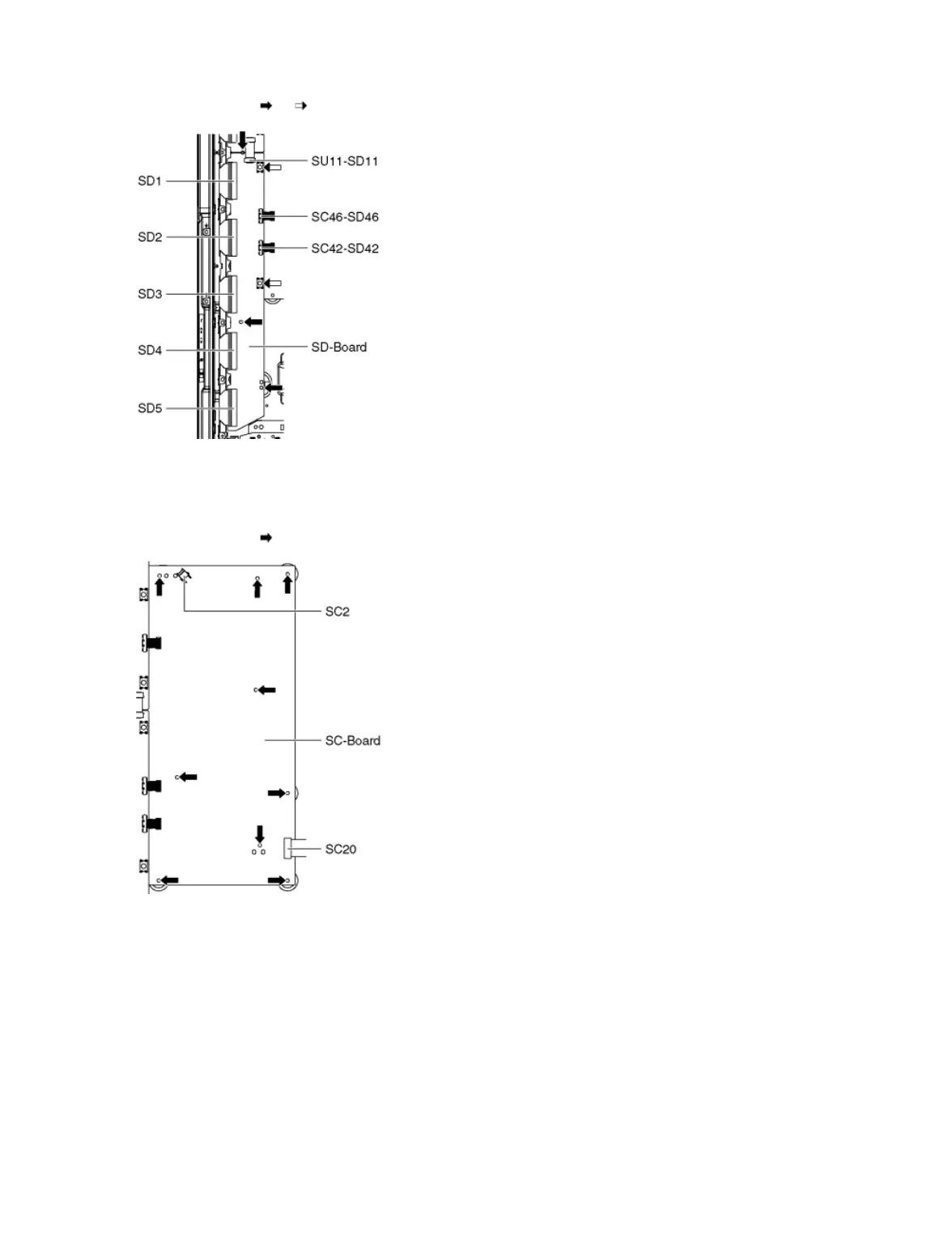
1. Disconnect the flexible cables (SD1, SD2, SD3, SD4 and SD5) connected to the SD-Board.
2. Disconnect the flexible cable (SU11-SD11) and the bridge connectors (SC42-SD42 and SC46-SD46).
3. Remove the screws (×3 , ×2 ) and remove the SD-Board.
9.2.19 Remove the SC-Board
1. Unlock the tapes to free the cables.
2. Disconnect the connector (SC2).
3. Disconnect the flexible cable (SC20).
4. Remove the screws (×9 ) and remove the SC-Board.
9.2.20 Work instructions for the Rubber sheet for SC-Board
1. Rubber sheets are put between the board and rear cover for EMC requirement and heat radiation. Confirm rubber sheets were placed at each
portion when assembling as shown in figure.









 To Next Page