DfsrAav fnformatfon
Uslrig Caller I
I .
.
.
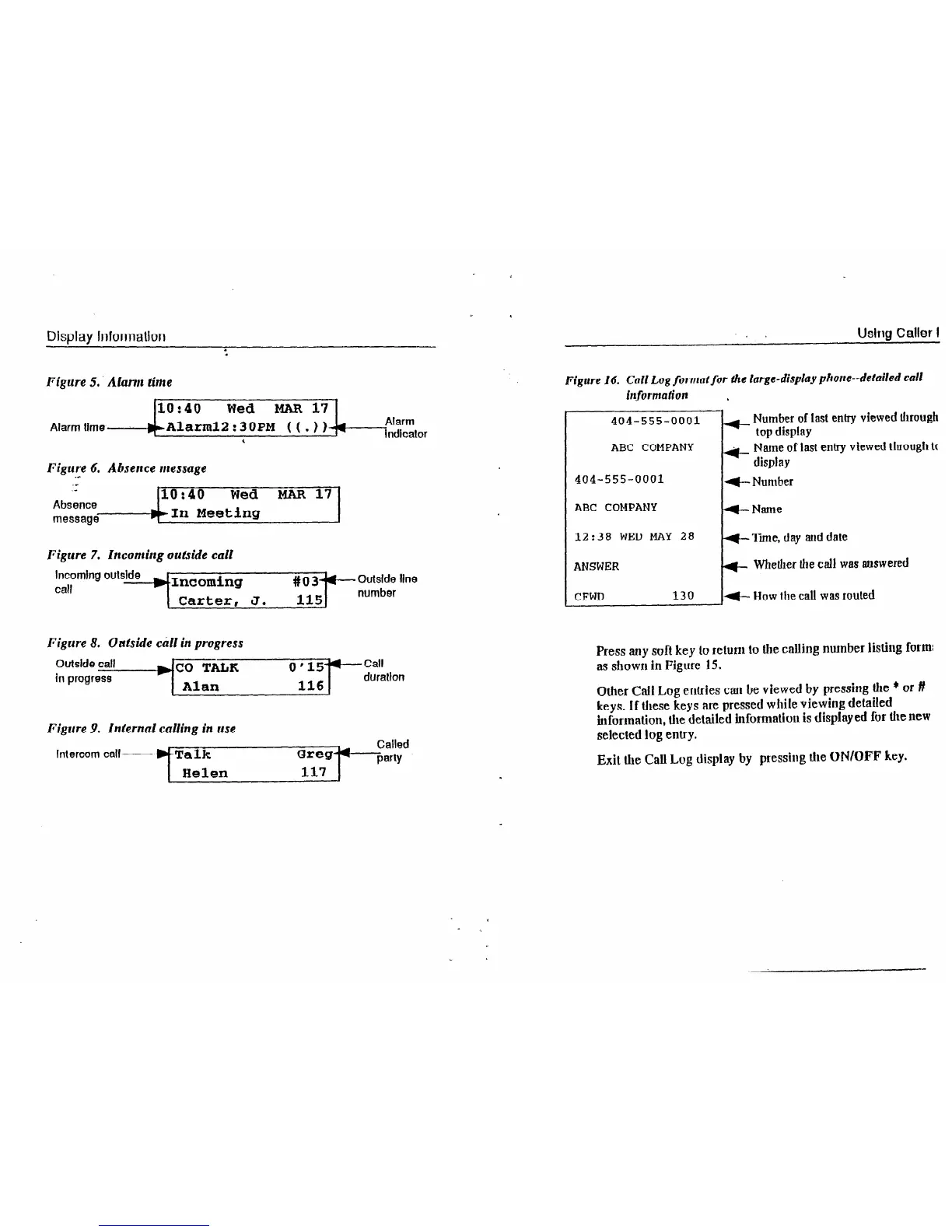
Figure 5. Alarm time
10:40
Wed
MAR 17
Alarm
time------)(~Alarznl2:3 OPM
( ( . ) )-fl
Alarm
indicator
‘
Figure 6. Absence message
.e
.-
.-
10:40 Wed MAR 17
Absence
message
---#bin Meeting
Figure 7. Incoming outside call
Incoming oulslde
T
call
).Incoming
# 0 34 e
Outside line
Carter, J. 115
number
Figure 8. Oafside chll in progress
Figure 9. Infernal calling in use
Intercom call
Figure
16.
Call Log
formatfor
tie large-display phone-detailed call
information
404-555-0001
ABC COMPANY
404-555-0001
ABC COMPANY
12:38 WED MAY 28
ANSWER
CFWD
130
+ Number of last entry viewed through
top
display
li+- Name of last entry viewed
through tc
display
t- Number
W-Name
+ Tune, day aid date
r)-
Whether
the call was answered
+ How the call was routed
Press atty soft key 10 retunt to the calling number listittg form:
as sbowtt in Figure 15.
Other Call Log ettfries can be viewed by pressing the * 01 #
keys. If these keys are pressed while viewing detailed
informalion, the detailed infoormatiott is displayed for the new
selected log entry.
Exit Ute Call Log display by pressing the ON/OFF key.













 To Next Page