Ustnn Caller IC
Volume and Display Settings
Adjusting Sound Volumes
You can
adjust the
volume of the following while they are in
use by pressing the VOL keys:,
l Ringer
.:
l
Speaker .
l
Handset.
Adjusting the Ringing Volume
When your phone is not in use, you can adjust its ring volume
using the following steps.
1. Press ON/OFF.
2. Press PROG.
3. Dial #9.
4. Press a VOL
key.
The phone produces a tone.
5. Press the VOL keys to adjust the loudness of the tone.
6. Press ON/OFF.
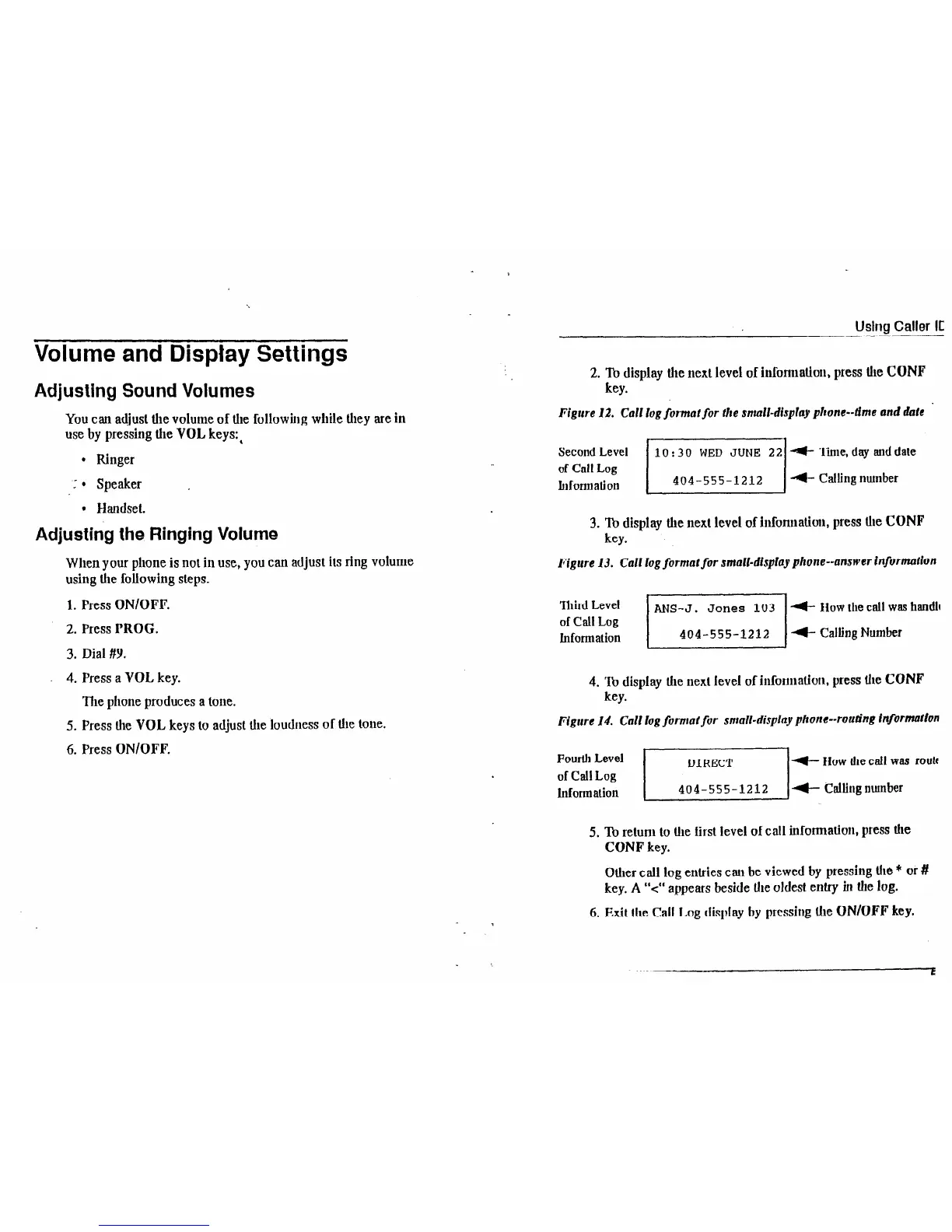
2. To display the next level of information, press
Ule
CONF
key.
’
Figure 12. Calf log format for the small-display phone-time and dare
Second Level
lo:30 WED JUNE 22 +- '!inie,
day auddate
of Cal1 Log
h~formation
jIobiijlli2 4 Calling number
3. ‘III display the next level of information, press the CONF
key.
Figure 13. CaN log formal for small-display phone--answer information
‘Ihird Level
of Call Log
Information
/
ANS-J. Jones
103 d- Ilowtllecallwas handle
404-555-1212 /t CallingNumber
4. To display the next level of information, press tile CONF
key.
Figure 14. Call log format for small-display phone--routing information
Fourth Level
4 How the call was routf
of Call Log
Information
Ei 4-- Calling nutnber
5. To return to the first level of call informadon, press the
CONF key.
Other call log entries can be viewed by pressing the * or #
key. A “<” appears beside the oldest entry in the log.
6. Exit
the
Call Log display by pressing the ON/OFF key.













 To Next Page