Using Speed Dialing
.
Using Speed Dialing
Using Personal Speed Dialing (PSD)
You can assign PSD (personal spsed dial) numbers to the one-
touch keys on your phone. All systems provide at least ten
PSDs numbered 90 to 99. Some systems optionally allow up to
40 -PSDs numbered 900 to 939.
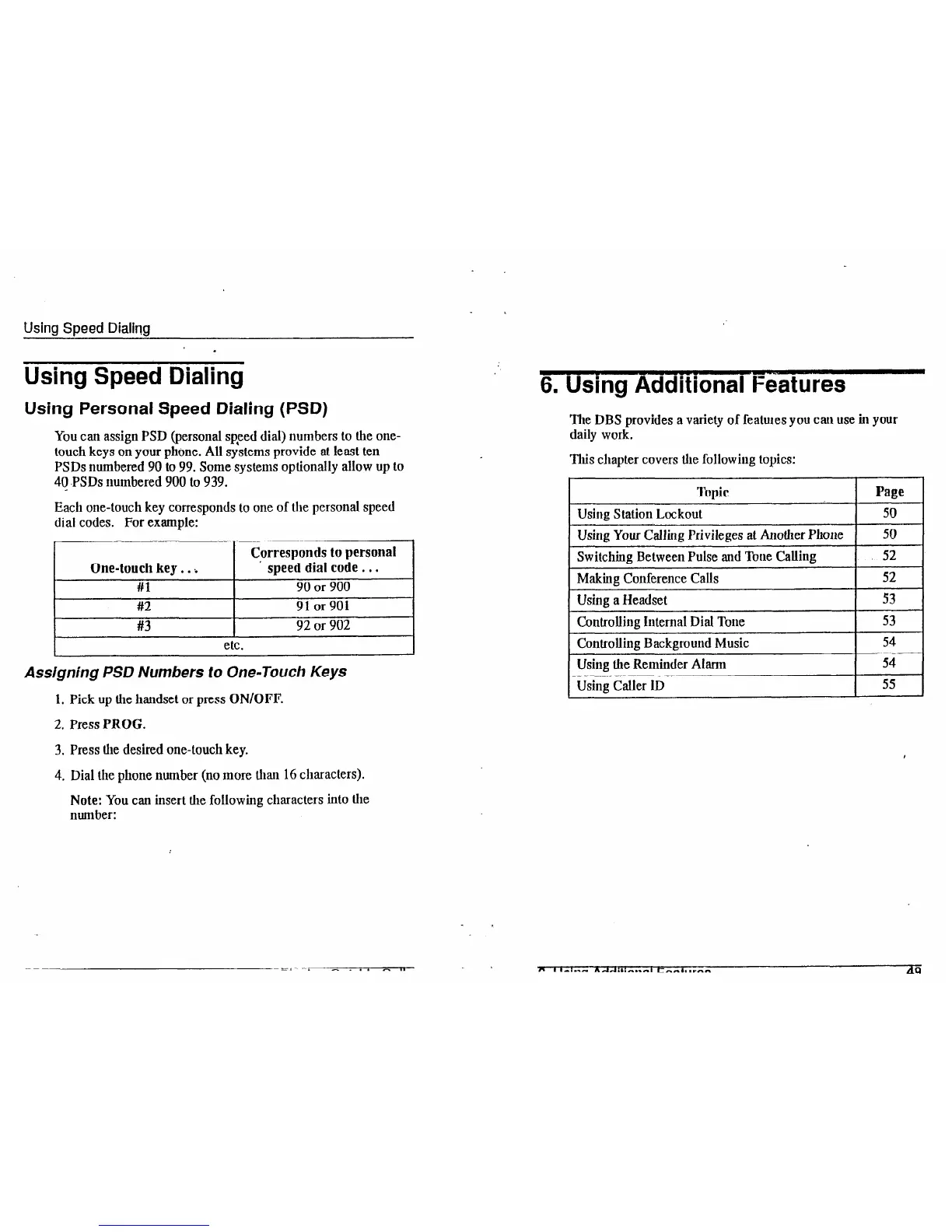
Each one-touch key corresponds to one of the personal speed
dial codes. For example:
One-touch key.. i
#l
#2
#3
Cprresponds to personal
speed dial code.. .
90 or 900
91 or 901
92 or 902
Assigning PSD Numbers to One-Touch Keys
1. Pick up the handset or press ON/OFF.
2. Press PROG.
3. Press the desired one-touch key.
4. Dial the phone number (no more than 16 characters).
Note: You can insert the following characters into the
number:
” .
6. Using Additional Features
The DBS provides a variety of features you can use in your
daily work.
This chapter covers the following topics:
I Page I
1 Usina Station Lockout
I 50 I
1 Using Your Calling Privileges at Another Phone 1
50
Switching Between Pulse and Tone Calling 1 52
Making Conference Calls
Using a Headset
Controlling internal Dial Tone
Controlling Background Music
52
53
53
54
Using the Reminder Alarm
I
54
Using Caller ID
I
1
55













 To Next Page