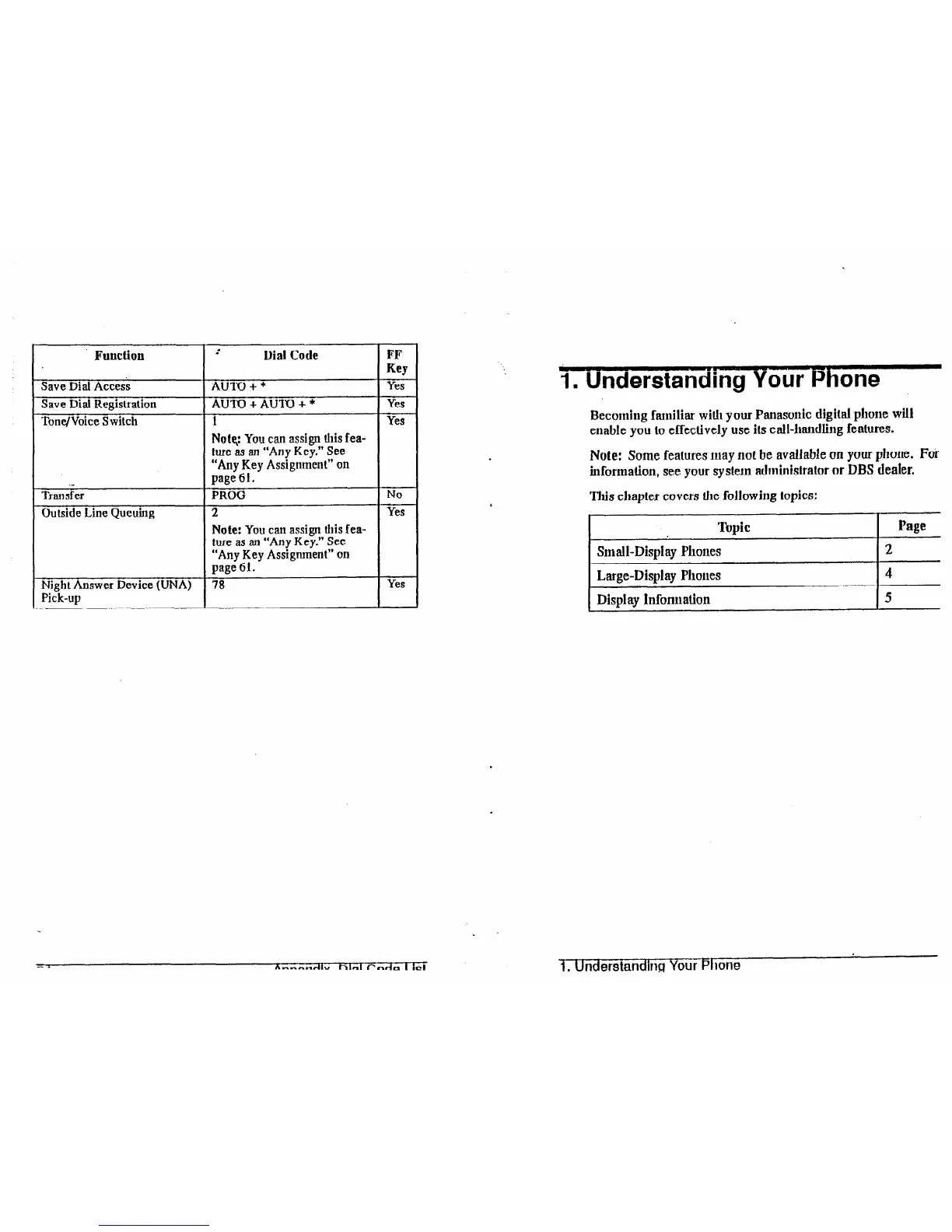
Function
Save Dial Access
Save Dial Registration
Tone/Voice S wilch
i-
Dial Code FF
Key
AU-IV + *
Yes
AU’I’O + AUI’O + *
Yes
1 Yes
Not% You
can assign this fea-
ture as an “Any Key.” See
“Any Key Assignment” on
.-
page 61.
Transfer
PROG
No
Outside Line Queuing 2
Yes
Note:
You
can
assign this fea-
ture as an “Any Key.” See
“Any Key Assignment” on
page 61.
Night Answer Device (UNA) 78
Yes
Pick-up
1. Understanding Your Phone
Becoming familiar with your Panasonic digital phone will
enable you to effectively use its call-handling features.
Note: Some features Inay not be available on your
phone. For
information, see your system adminislrator or DBS dealer.
This chapter covers the followjug topics:
Topic
~ Page
Small-Display Phones
Large-Disulay Phones
Display Inform ation
2
4
5
1. Understanding Your Phone













 To Next Page