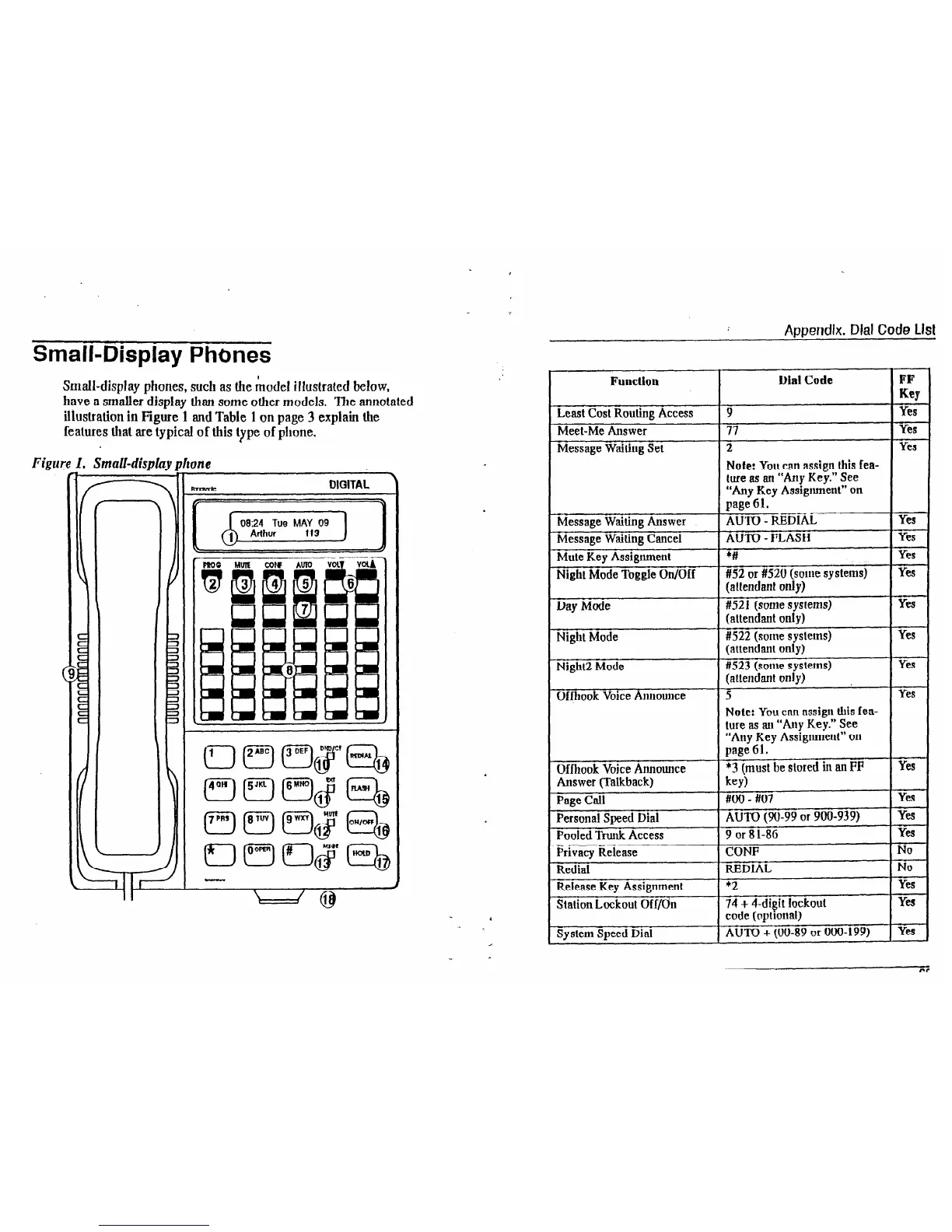
Small-Display Phones
Small-display phones, such as the model illustrated below,
have a smaller disnlav
than some other models. The annotated
illustration in F@reWl and Table 1 on page 3 explain the
features that are typical of this type of phone.
Figui
1. Small-displuy 1
I 4
re
.
Appendix. Dial Code Llst
Function
I)ial Code
-
FF
Key
Least Cost Routing Access
Meet-Me Answer
Message Waiting Set
Message Waiting Answer
Message Waiting Cancel
Mute Key Assignment
Night Mode Toggle
On/Off
Day
Mode
Night Mode
Night2 Mode
Offhook Voice Announce
1
Dffhook Voice Announce
Answer (Talkback)
1
I
Page Call
I
Personal Speed Dial
I
Pooled Trunk Access
I
Privacy Release
1
Redial
I
Release Key Assignment
,
Station Lockout Off/On
n -. n. t html
System 3peeu ula
9
Yes
77
Yes
2 Yes
Note: You can assign this fea-
ture as an “Any Key.” See
“Any Key Assignment” on
page 61.
AUTO - REDIAL Yes
AUTO - FLASH Yes
*L#
Yes
#52 or #I520 (some systems) Yes
(attendant only)
#521 (some systems)
YW
(attendant only)
#522 (some syslems) Yes
(attendant only)
#523 (some systems)
Yes
(attendant only)
5
Yes
Note: You can assigu this fea-
ture as mill “Any Key.” See
“Any Key Assignmeut” on
page 61.
*3 (must be
stored in an FP
Yes
key)
#uo - #07
Yes
AUTO (90-99 or 900-939) Yes
9 or 8 l-86
Yes
CONF
No
REDIAL
No
+2
Yes
74 + 4-di$t lockout
Yes
code (optlonal)
I . r-3 . ,,l,, on ^- ,,,m , no,
AU IV
t
[WV-o7
"I ""v-177, ,
vms
‘CD













 To Next Page