Preparation
6
Note:
LFor information about the rear view, refer to the wiring schematic diagram section in the Installation Guide.
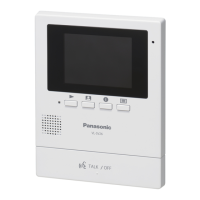
A Microphone
LDo not cover when you talk.
B Monitor display (page 7)
C {MENU} button
LPress to change the function settings
(page 21).
D {MONITOR} button
LPress to monitor the sound and image taken
by the door station (page 13).
E {PLAY} button and indicator (
)
LViews the recorded image (page 16).
LThe indicator fl ashes when there are
unviewed images that are newly recorded.
F {DOOR KEY} button
LAllows you to open the door when connecting
the door opener (sold separately) to the main
monitor station (page 11).
G {TALK/OFF} button
LPress to answer a call and/or speak to a
visitor (page 10).
LPress to end an operation.
H Speaker
CDEF buttons are also used for operating the
features shown on the display (page 7).
Location of controls
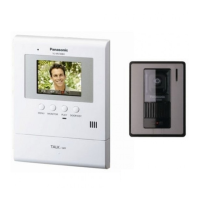
Main monitor station
CDEF
A
B
GH
SV30BXOI.indb6SV30BXOI.indb6 2010/10/2217:21:452010/10/2217:21:45



 To Next Page