EasyManua.ls Logo

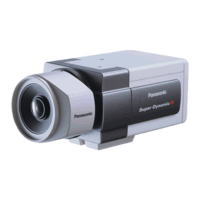
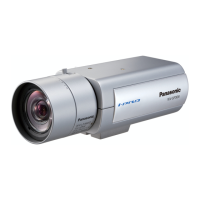
Panasonic WV-U2540L - User Manual

Panasonic WV-U2540L
16 pages
Print Icon
To Next Page IconTo Next Page
Loading...
Model No. WV-U2540L, WV-U2530L
WV-U2140L, WV-U2130L
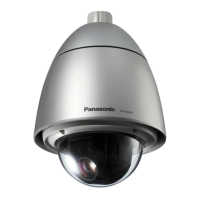
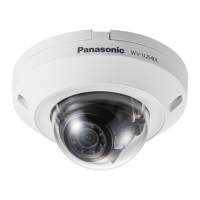
WV-U2140LWV-U2540L
"<Control No.: C****>" used in these documents should be used to search for information on our sup-
port website (https://security.panasonic.com/training_support/support/info/) and will guide you to the
right information.
microSDXC/ microSDHC/ microSD memory card is described as microSD
memory card.
The external appearance and other parts shown in this manual may differ
from the actual product within the scope that will not interfere with normal
use due to improvement of the product.
About the user manuals
Product documentation is composed of the following documents.
Installation Guide (accessory): Provides information about “Precautions”, “Precautions for
installation” and the installation method.
Basic Information (this document): Provides information about “Precautions for use” and “Detail
specifications”.
Operating Instructions (in the following website): Explains how to perform the settings and
how to operate this camera.
https://security.panasonic.com/training_support/documentation_database/
Basic Information
Network Camera

Questions and Answers

  • A
    akelleyAug 9, 2025
    What to do if Panasonic WV-U2540L Security Camera power is not turned on?
    • L
      Lisa SilvaAug 10, 2025
      If the Panasonic Security Camera is not turning on, ensure that the PoE device (IEEE802.3af compliant) and the RJ45 Network connector are connected using an Ethernet cable and that the connection is appropriately established. Also, consider that, depending on the PoE device, the power supply will stop when the demanded power exceeds its total power limit for all PoE ports. Refer to the operating instructions of the PoE device in use.
  • D
    dustin28Aug 25, 2025
    Why is LINK indicator not lighting on my Panasonic WV-U2540L Security Camera?
    • E
      erintaylorAug 25, 2025
      If the LINK indicator does not light up on your Panasonic Security Camera, check the following: * Ensure the Ethernet cable is correctly connected. * Verify that the hub or router connected to the camera is operating correctly. * Replace the Ethernet cable to rule out a broken cable.

Panasonic WV-U2540L Specifications

General IconGeneral
Operating Temperature-10°C to +50°C
Protection GradeIP66
Day/Night FunctionYes
Wide Dynamic Range (WDR)Yes
Signal-to-Noise Ratio50 dB
Image Sensor1/3" CMOS
LensFixed
Focal Length2.7 - 13.5 mm
Field of View (Horizontal)90 degrees
Video CompressionH.265, H.264
Power SupplyPoE (IEEE802.3af compliant)
Power SourcePoE (IEEE 802.3af)
IR Distance30 m (98 ft)
WeightApprox. 500 g

Related product manuals