EasyManua.ls Logo

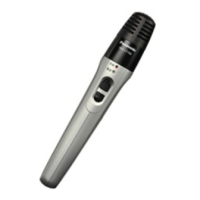
Panasonic WX-LT350 - User Manual

Panasonic WX-LT350
32 pages
Print Icon
To Next Page IconTo Next Page
Loading...
Before attempting to connect or operate this product, please read these
instructions carefully and save this manual for future use.
The model number is abbreviated in some descriptions in this manual.
Operating Instructions
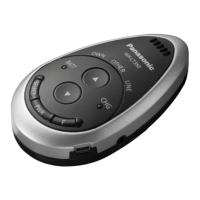
Infrared Wireless Microphone
Model No. WX-LT350
WX-LT350E
WX-LT350
CHG
PWR
F
BATT
S
E
L
E
C
T
M
U
T
E
O
W
N
O
T
H
E
R
L
I
N
E

Other manuals for Panasonic WX-LT350

Questions and Answers

  • P
    Paul AcostaAug 17, 2025
    Why Panasonic Wireless microphones power cannot be turned on?
    • K
      Kevin EllisAug 17, 2025
      The Panasonic Wireless microphone might not power on because the battery is depleted. Replace it with a new dry cell or charge the rechargeable battery. Also, ensure the battery is installed with the correct polarity.
  • B
    burchrobertAug 19, 2025
    What to do if Panasonic Wireless Microphones have no reception at all?
    • B
      Brittney TaylorAug 20, 2025
      If there is no audio output from the receiver, or the reception indicator doesn't respond, ensure the transmitting channel of the microphone matches the receiving channel of the receiver. Also, check that the channel select switch is firmly clicked into place. Verify that all cables and connections are correct and that all devices are turned on.
  • H
    hingramAug 22, 2025
    What to do if Panasonic Wireless Microphones does not charge?
    • J
      jenna91Aug 22, 2025
      If the Panasonic Wireless Microphones does not charge and the charge indicator is off, confirm that the power plug of the charger is fully inserted into the AC outlet and ensure that the power of the microphone is turned off.
  • K
    katherine85Aug 25, 2025
    What to do if Panasonic Wireless Microphones volume is too low?
    • T
      Timothy FitzgeraldAug 26, 2025
      If the volume of your Panasonic Wireless microphone is too low (no sound), and the [OWN] selection indicator is lit, press the [D] volume button to increase the volume. Also, check that the receiver is set up correctly.
  • L
    Lisa SmithAug 28, 2025
    What to do if Panasonic Wireless Microphones does not charge and the charge indicator is blinking?
    • T
      Todd JonesAug 28, 2025
      If the charge indicator is blinking when charging your Panasonic Wireless microphone, dry cells may be installed, which are not rechargeable. Install a rechargeable battery instead. Also, the installed battery may be short-circuited or deteriorated. Replace the short-circuited or deteriorated battery with a new rechargeable one.
  • T
    Thomas CarrilloAug 31, 2025
    How to fix Panasonic Wireless Microphones continuous noise?
    • C
      christina20Aug 31, 2025
      To resolve continuous noise issues with your Panasonic Wireless microphone, clean the battery contacts/poles.
  • B
    brittany85Sep 2, 2025
    What to do if Panasonic Wireless Microphones have no sound from the microphone opening?
    • C
      Christopher DavisSep 3, 2025
      If there is no sound from the microphone opening of your Panasonic Wireless microphone, unplug the connected external devices. Connection of an external device or external microphone, even if not powered up, disables sound transmission from the microphone opening of the microphone.
  • K
    kromeroSep 5, 2025
    What to do if Panasonic Wireless Microphones battery indicator blinks?
    • M
      Mrs. Jessica Bryant DVMSep 5, 2025
      If the battery indicator on your Panasonic Wireless microphone blinks green, orange, or red, and the microphone is not operable, confirm that the channel select switch has clicked into place in any of positions 1 - 4.
  • S
    Sarah BatesSep 7, 2025
    What to do if Panasonic Wireless Microphones does not charge and charge indicator lights, but goes off after a few minutes?
    • J
      Julie HarrisSep 8, 2025
      If the charge indicator lights but goes off after a few minutes when charging your Panasonic Wireless microphone, the battery may already be fully charged. Remove the charger from the microphone and use the microphone with the battery. If you are using a charger other than the specified one, use the specified charger (WX-LZ150). If the battery is extremely hot, disconnect the charger once and allow the battery to cool off before reconnecting.
  • M
    Michael LopezSep 12, 2025
    What to do if Panasonic Wireless Microphones battery indicator is blinking orange, the charge indicator is blinking red, and the microphone is not operable?
    • S
      stokesstephanieSep 12, 2025
      Check the connection between the microphone and the charger.

Panasonic WX-LT350 Specifications

General IconGeneral
BrandPanasonic
ModelWX-LT350
CategoryAccessories
LanguageEnglish

Related product manuals