EasyManua.ls Logo

Pantech Renue - Number Mode

Pantech Renue
121 pages
Print Icon
To Next Page IconTo Next Page
To Previous Page IconTo Previous Page
Loading...
52
Messaging
Number mode
You can input numbers in this mode.
1.
Tap Messages > Create a New Message > Tap to enter text > > Select Number
Mode to change the mode to
123 >
.
2.
Select to and to input numbers.
Symbols mode
You can input symbols.
1.
Tap Messages > Create a New Message > Tap to enter text > > Select Symbols to
change the mode to
.?
@
>
.
2. Tap or > select the symbol to insert.
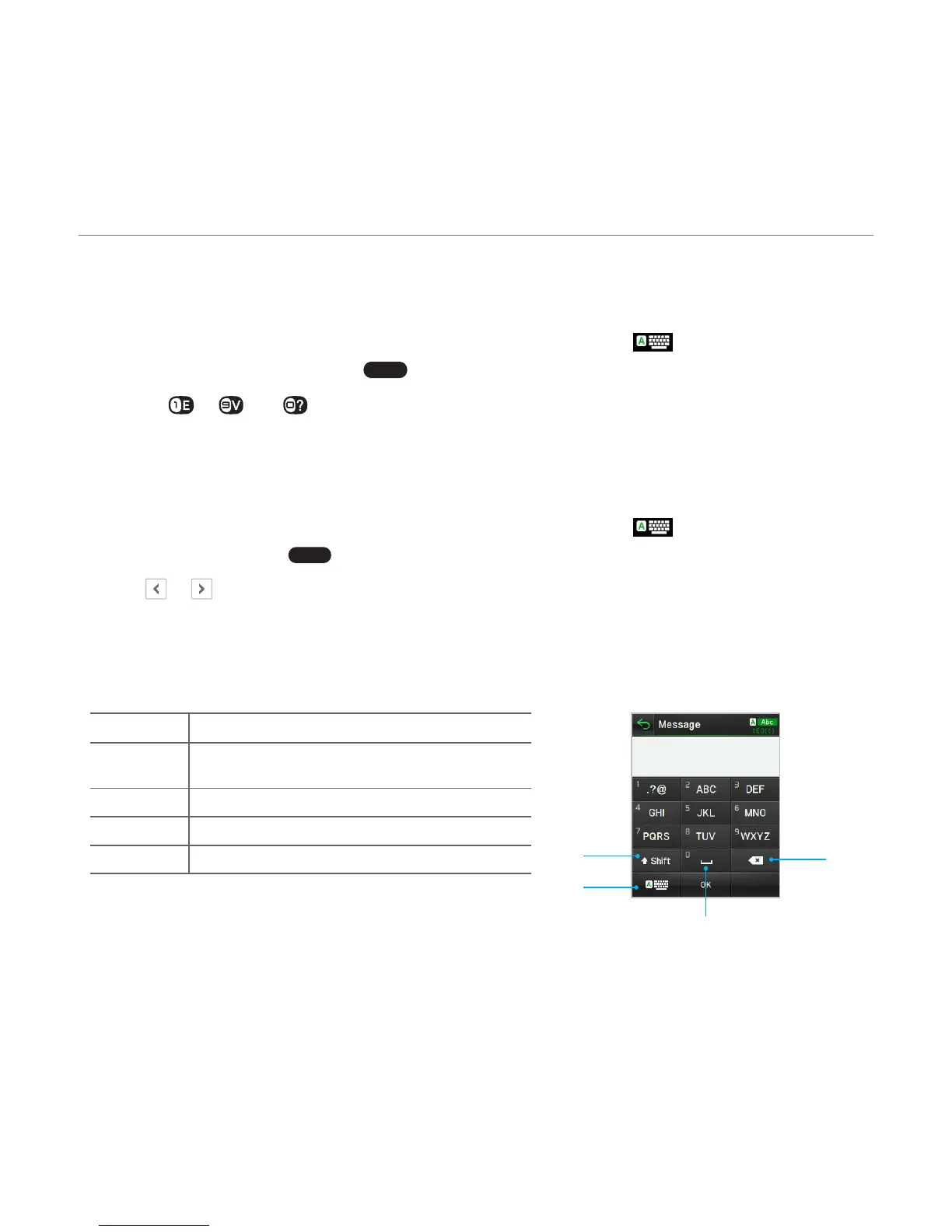
Using the virtual keypad
Enter text by using the virtual keypad on your touch screen and using the QWERTY keypad.
Number Function
1
Switches between upper and lower
case
2 Changes the text input mode
3 Inserts a space
4 Deletes a character
1
4
3
2

Table of Contents

Other manuals for Pantech Renue

Related product manuals