22
Getting Started
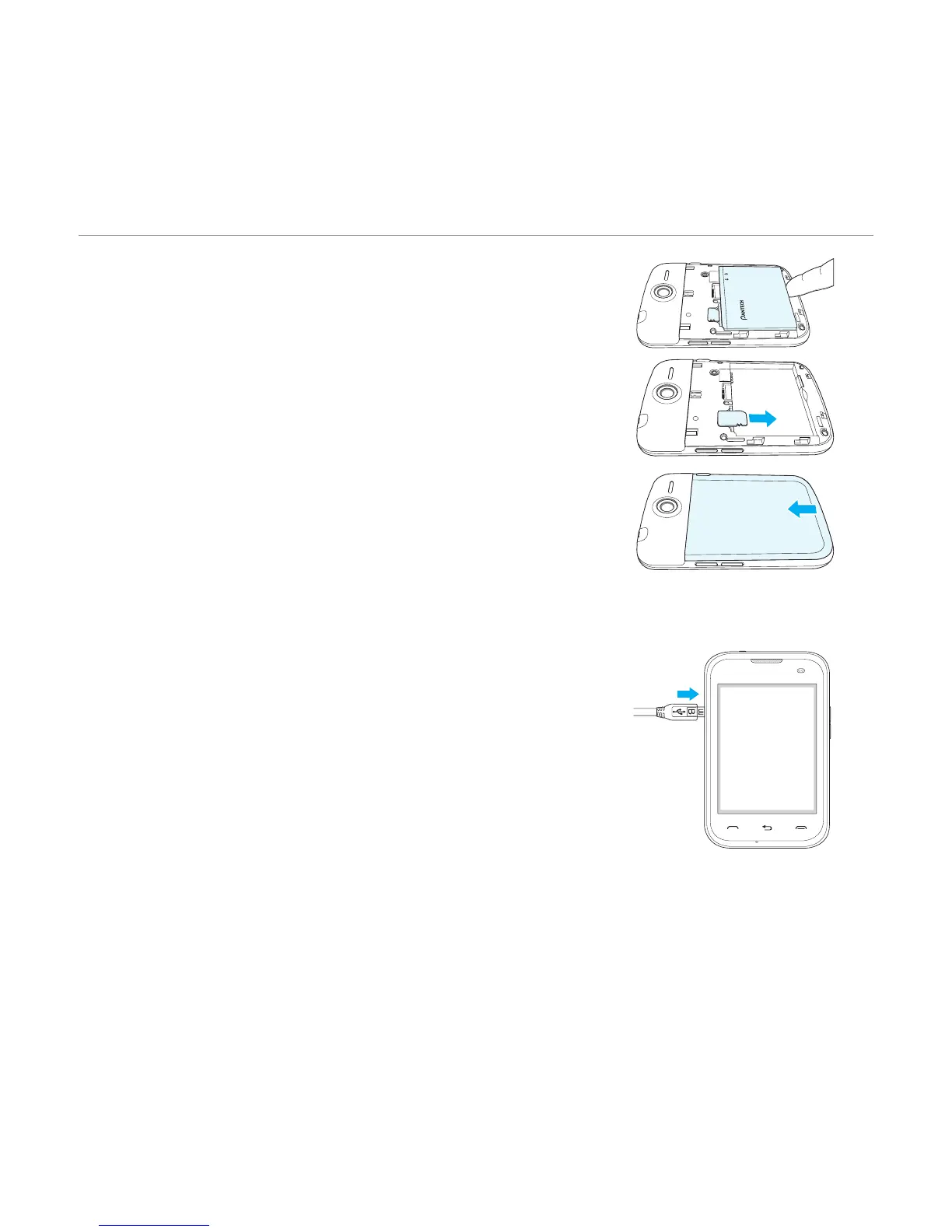
4. To remove the battery, lift the bottom of the battery up
and remove.
5
. To remove the SIM card, slide the SIM card in the
direction of the arrow as shown.
6. To fit the battery cover, put it on the guide rail and push
up.
Charging your battery
1. Connect with the Micro USB charger adaptor on the top
left side. Make sure you align the connector as shown in
the image. If not, it will damage the charging connector
on the phone and will not charge.



 To Next Page