66
Camera
You can take pictures using the built-in camera. The photos can be saved to your phone or
memory card and can be sent via multimedia messages and bluetooth.
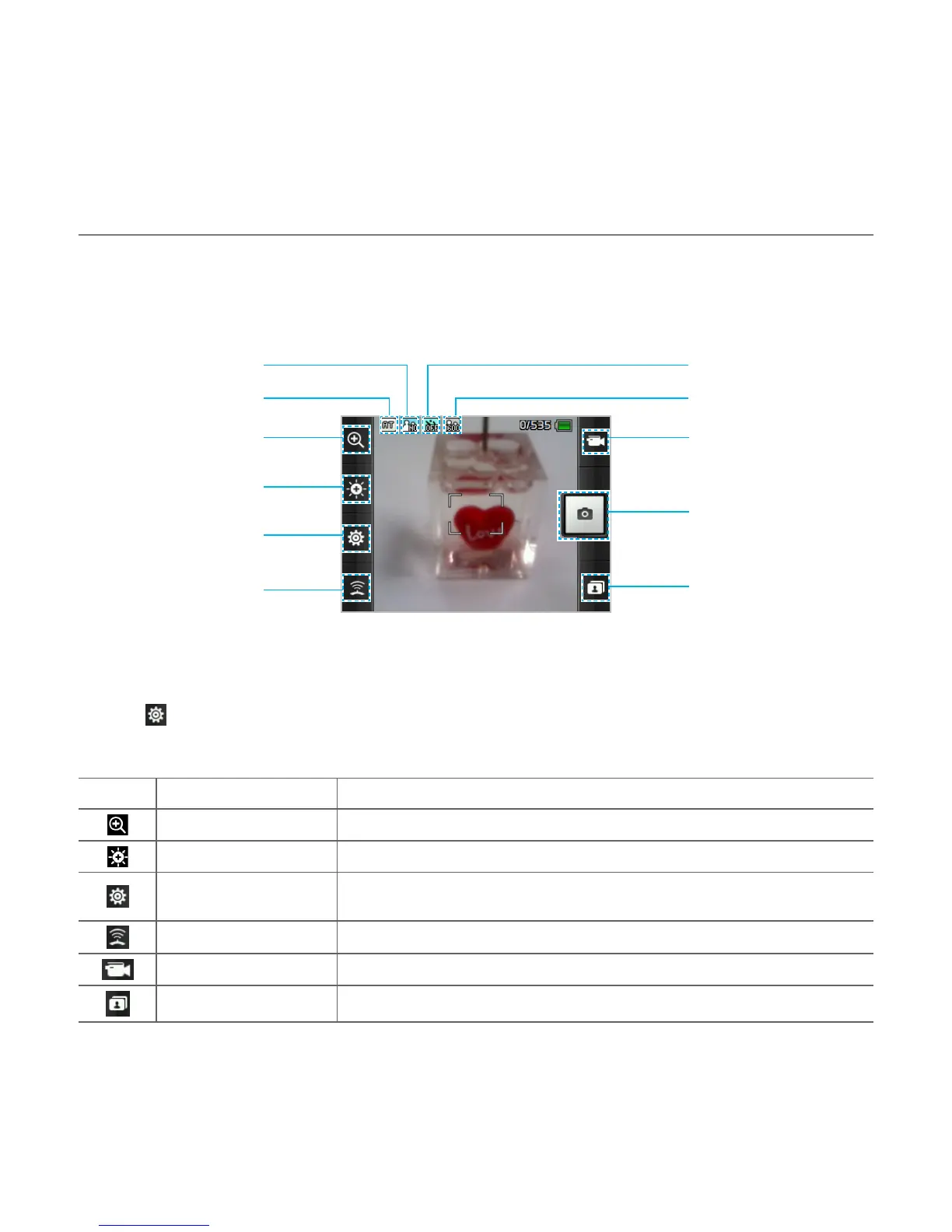
Capture
GEO tagging Album
Video camera mode
Settings
Brightness
Zoom
Resolution
Self timerSpecial effect
White balance
Setting camera settings
1. Tap Menu > Camera.
2
. Tap to change settings prior to taking a picture.
Camera menu options
Icons Name Description
Zoom 1, 2,3,4,5,6,7,8 (up to 2x zoom)
Brightness -3, -2, -1, 0, +1, +2, +3
Settings
White Balance/ Effect/ Self Timer/ Resolution/ Storage/
Advanced
GEO Tagging On/Off
Video Camera Switch to video camera mode
Album View the pictures stored in the device
Multimedia



 To Next Page