21
Getting Started
Installing/Removing SIM card and battery
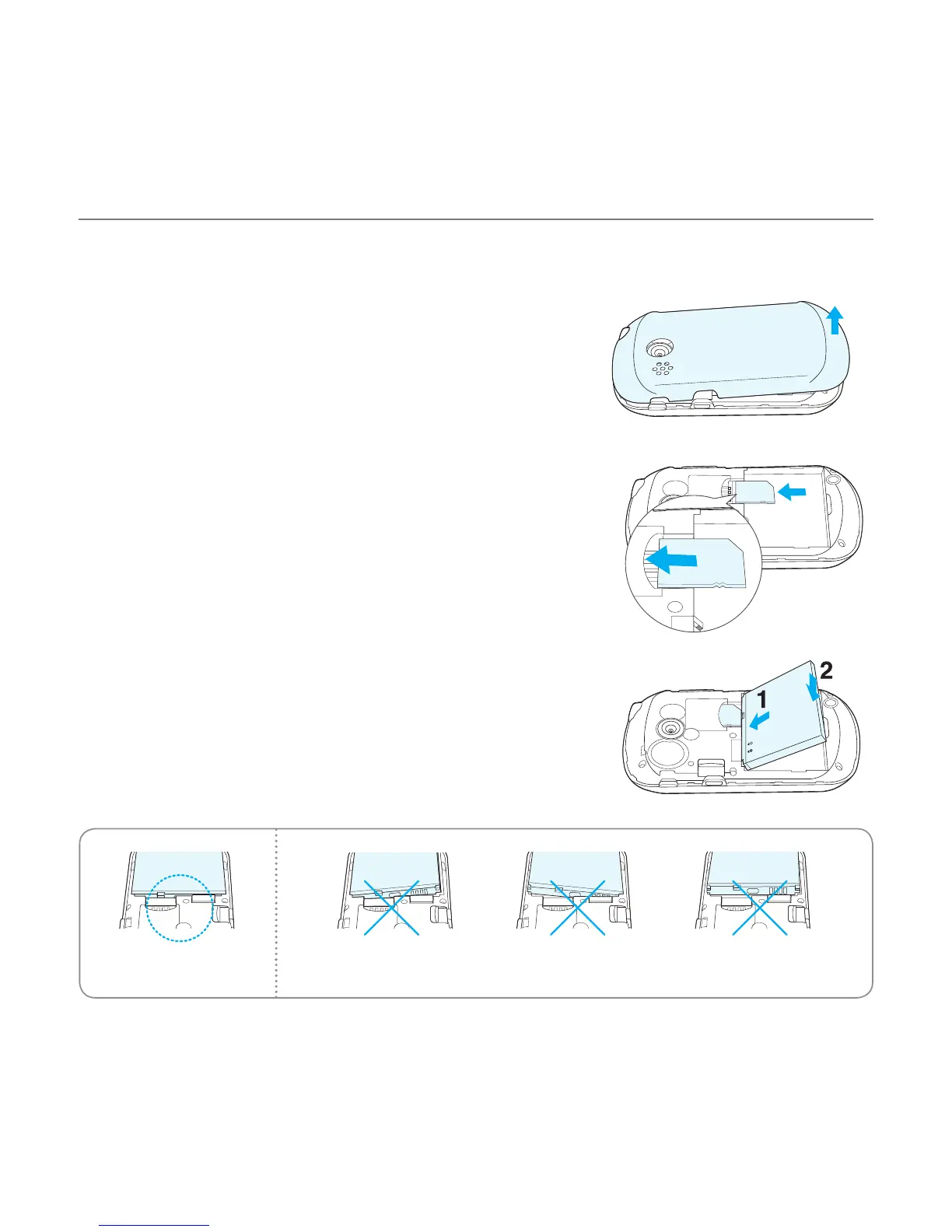
1. Remove the battery cover from the unit.
- To remove the battery cover, place your finger nail in the
groove at the bottom of the unit, and then lift it up.
2. Insert the SIM card into the slot. The gold contacts of the
SIM card should face down.
3. Slide the connector of the battery into the notch located
at the top of the unit. Insert and press the lower side of
the battery until you hear a click. Make sure you align the
gold contacts on the battery end with the contacts on
the phone. If the contacts on the battery are not properly
aligned, the phone and the battery could be damaged.
Correct Incorrect



 To Next Page