22
Getting Started
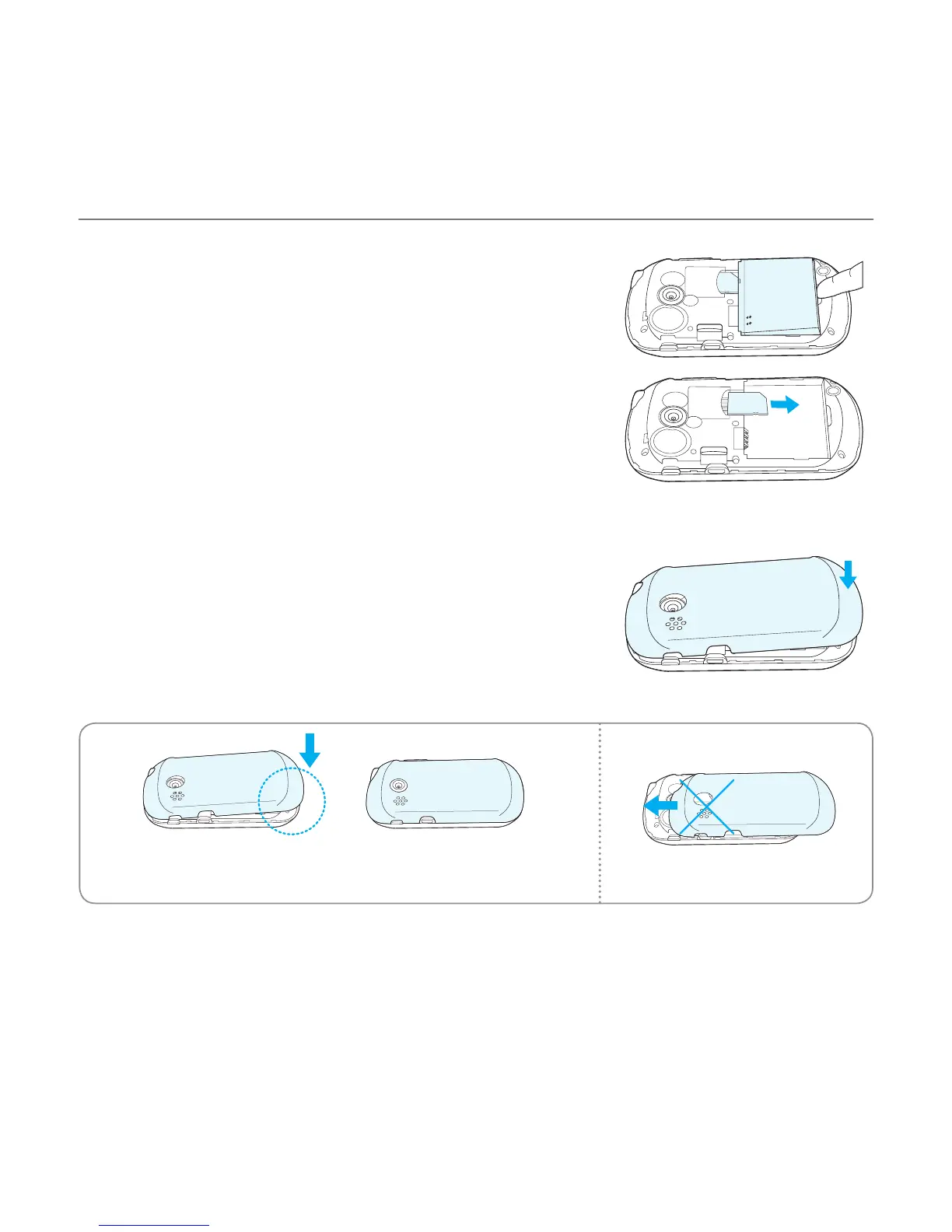
4. To remove the battery, lift the bottom of the battery up
and remove.
To remove the SIM card, slide the SIM card in the direction
of the arrow as shown.
5. To place the battery cover back onto the unit, slide the
one end of the cover into the groove, and then push it
down.
Correct Incorrect



 To Next Page