EasyManua.ls Logo

Paradigm SOUNDSCAPE - User Manual

Paradigm SOUNDSCAPE
32 pages
Print Icon
To Next Page IconTo Next Page
Loading...
MC
Owners Manual
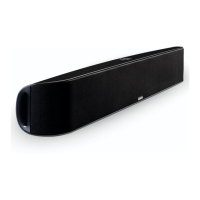
5.1 Powered Soundbar

Other manuals for Paradigm SOUNDSCAPE

Questions and Answers

  • R
    Robert WellsJul 31, 2025
    What to do if my Paradigm SOUNDSCAPE have no sound?
    • A
      Aimee MeyerJul 31, 2025
      If your Paradigm speakers aren't producing any sound, try the following: * Ensure the speakers are plugged into a working wall outlet and turned on. * Verify the mode settings. * Check the internal or external subwoofer settings. * Confirm the program format is correct. * Inspect all connections. * Resync for wireless if applicable. * Check the inputs. * Resync for Bluetooth if you're using a Bluetooth connection.
  • R
    Richard HunterAug 7, 2025
    Why is there no surround sound on my Paradigm SOUNDSCAPE Speakers?
    • J
      jason85Aug 7, 2025
      If you're not getting surround sound from your Paradigm speakers, make sure the format settings are correct at the source and that the surround mode is enabled in the menu options.
  • B
    Benjamin WagnerAug 15, 2025
    How to fix Paradigm SOUNDSCAPE with no sound?
    • N
      nicolesmithAug 15, 2025
      If your Paradigm speakers aren't producing any sound, there are several things you can check. First, ensure that the Soundscape is properly plugged into a working wall outlet and that the unit is turned on. Also, verify both internal and external subwoofer settings. Confirm the program format and all connections are correct. If using wireless, try resyncing the speakers. Ensure the correct inputs are selected, and if you're using Bluetooth, try resyncing that as well.
  • J
    James LeeAug 23, 2025
    What to do if Paradigm SOUNDSCAPE have no surround sound?
    • J
      Jacqueline CollinsAug 23, 2025
      If you're not getting surround sound from your Paradigm speakers, first check the format settings at the source. Also, make sure that the surround mode is enabled within the menu options.

Summary

Safety Precautions

Important Safety Instructions

Detailed safety guidelines and warnings for product operation.

Initial Setup Procedures

Connecting Your Soundscape

Power Connection

Connecting the Soundscape to a power source.

Signal Connection

Connecting audio sources to the Soundscape.

Recommended Connection Method

Guidance on connecting external components for optimal audio setup.

Bluetooth Wireless Connection

Steps to connect a phone or tablet wirelessly via Bluetooth.

Subwoofer Integration

Wired Subwoofer Connection

Connecting an external subwoofer using an RCA cable.

Wireless Subwoofer Setup

Connecting an external subwoofer wirelessly using the included receiver.

System Operation and Controls

Menu System Navigation

System Management and Troubleshooting

Troubleshooting No Sound

Solutions for when the Soundscape produces no audio output.

Troubleshooting No Surround Sound

Solutions for when surround sound is not functioning correctly.

Technical and Warranty Details

Paradigm SOUNDSCAPE Specifications

General IconGeneral
BrandParadigm
ModelSOUNDSCAPE
CategorySpeakers
LanguageEnglish

Related product manuals