Audio & Video
Connections
Audio & Video
Connections
Audio
Connection
Audio
Connections
Only
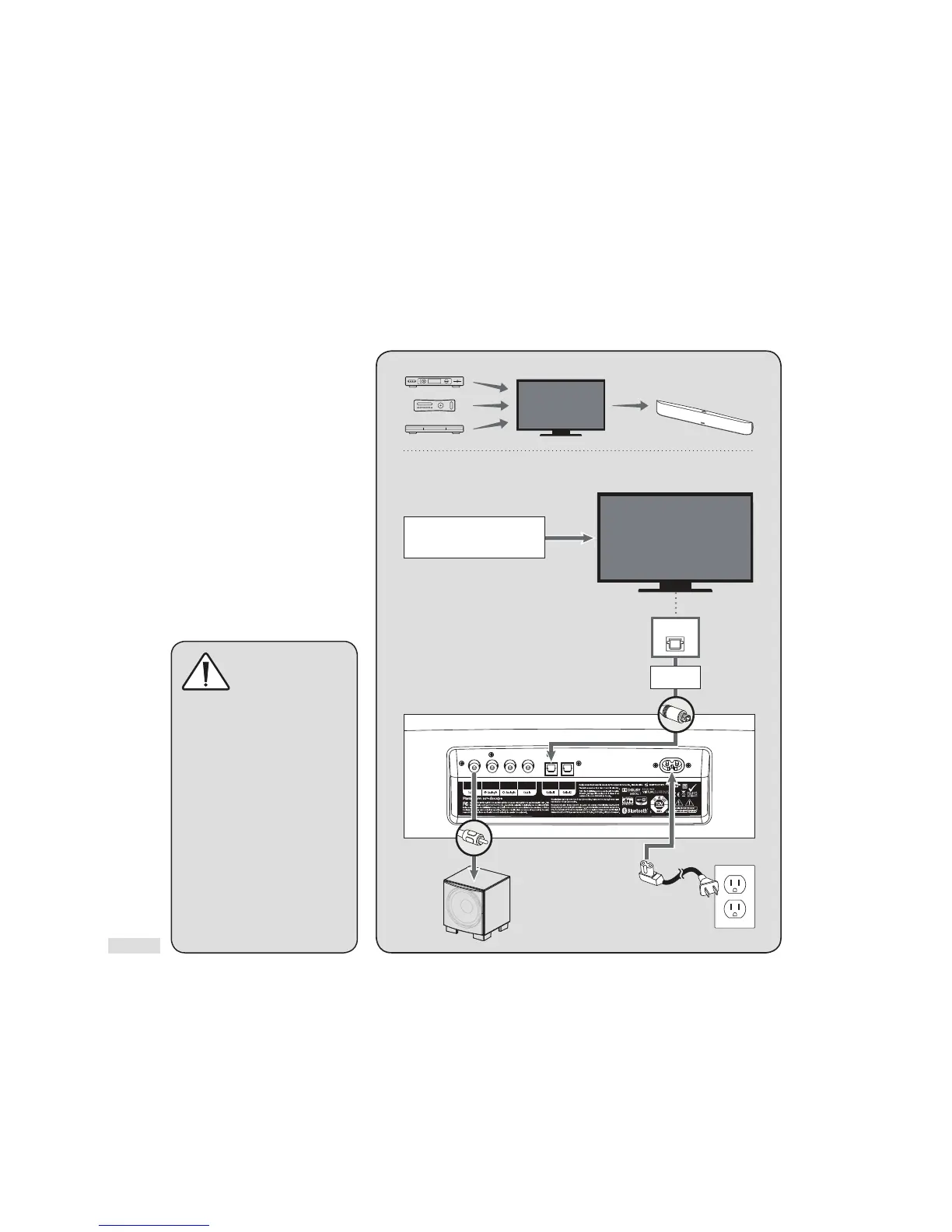
Connect your external components (cable box, dvd player, etc.) audio and video connections to your to your TV.
Connect your TV’s audio connections to your Soundscape.
Optional
Subwoofer
[connect to Sub Out,
See Owners Manual
for details]
Single RCA Cable
Sold Seperately
Multi-Channel Audio/Video Sources:
Blu-ray, DVD, Game Console,
Cable Box, Satellite Receiver, Etc.
Digital Out
Power Cable
TV
TV
Câble RCA double (analogique)
Optical Cable
(Digital)
CONNECTION (Cont’d)
Choose your connections option …
RECOMMENDED
CONNECTION
(Fig. 10):
External Components: Connect
Audio & Video Connections to TV.
TV: Connect Audio Connections
to Soundscape.
Fig. 10
WARNING ABOUT
RF INTERFERENCE!
When operating
wirelessly, Soundscape
and subwoofer may be susceptible
to RF interference in the 2.4GHz
bandwidth from microwave ovens
and wireless devices such as WiFi
systems, video game consoles,
cordless telephones, bluetooth
devices and baby monitors.
Generally, this issue (intermittent
sound or slight popping noises)
is easily resolved by physically
separating problematic devices
from one another. A distance
as little as two feet will often
alleviate interference. In the case
of microwaves, interference only
occurs when the microwave is
operating.



 To Next Page