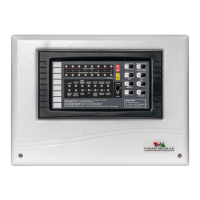
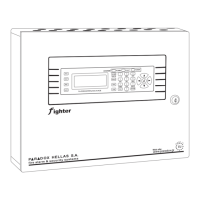
(|ZM|) and Key display modules (|KD|). The state of each module is shown with the fol-
lowing character representation:
| |: Module present and healthy. No extra PSU attached.
|
|: Module present and healthy. Extra PSU is attached.
|_|: Module not installed.
|L|: Module is not present or not communicating.
|F|: Module reports zone or relay fault(s).
|S|: Attached PSU reports Mains power lost.
|B|: Attached PSU reports Battery connection fault.
|R|: Attached PSU reports batteries need replacing.
|P|: PSU and Battery in fault.
|V|: Module in low voltage mode / out of operation.
|2|: Keypad in access level 2.
|3|: Keypad in access level 3.
|O|: Selected module for identication (see bellow).
Module Identication
The system provides a mechanism for selecting a module and activating it's status LED
or the LCD's backlight (for keypads). The selected module's LED produces a sequence
of 3 rapid ashes and a pause every second. For Keypads the LCD backlight toggles
on and off every second. This mechanism helps the installer or maintainer to identify a
module without margin for error.
To select a module:
In the "Installed modules" screen press • <ENTER>: A small i appears on the top left
of the screen and a cursor is activated.
Move the cursor with the arrow keys over an installed module and press • <ENTER>:
The module character changes to |O|.
The LED or backlight on the selected module start to ash with the identication •
pattern.
To stop the identication pattern press • <ENTER> again on the activated module or
on an empty module space.
The <CLR> button on an activated keypad, will also deactivate the ashing pattern.
Only one module can be selected at any time. Selecting a new module while another
one was active, will cancel the last activation.
Exiting the screen with a module selected will not stop the identication process.
The system's operation is not affected in any way by the module identication mech-
anism.
Pressing < > will display a help screen with the above table.


 To Next Page