RESPONDING TO ALARM SIGNALS
Evacuate the area.1.
Notify the proper authorities immediately and state the nature and location of the 2.
emergency.
Be prepared to provide directions to reghters when they arrive.3.
TO SILENCE ALARM NOTIFICATION SIGNALS
Alarm notication signals should not be silenced until after all occupants
have been evacuated.
Press the 1. [SLNC] button.
Enter A.L.2 user code.2.
The Silenced button turns ON and all audible notication circuits turn OFF. New alarm
events turn the notication circuits back ON.
TO RETURN THE SYSTEM TO NORMAL AFTER AN ALARM
Make sure all smoke detectors are free from smoke and all manual pull stations 1.
are reset.
Press the 2. [RST] button.
Enter A.L.2 user code.3.
TO PERFORM A LAMP TEST (panel and remote annunciators)
Press and hold the 1. [TEST] button.
RESPONDING TO TROUBLE SIGNALS
Investigate the cause of the trouble by pressing the 1. [FAULT] button and notify the
authorized service personnel immediately.
Trouble conditions may affect the panel’s ability to provide early detection and
indication of a re. Clear trouble conditions immediately.
TO SILENCE THE PANEL BUZZER
Press the 1. [SLNC] button.
Enter A.L.2 user code2. .
The buzzer turns OFF. Any new events turn the buzzer back ON. Trouble conditions not
cleared resound the buzzer after a predetermined time.
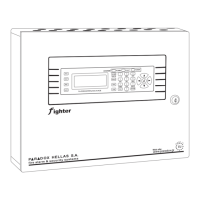
FIGHTER Fire Alarm Control Panel Operation Summary


 To Next Page