
 Need help?
Do you have a question about the Paralenz DIVE CAMERA and is the answer not in the manual?
Lists the items included in the Paralenz Dive Camera box.
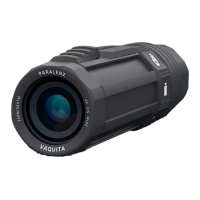
Identifies and labels the various components of the Paralenz Dive Camera.
Details the camera's buttons: Activation Switch and Selector Ring.
Step-by-step instructions for attaching the wrist strap to the camera.
Guide on how to properly insert a micro SD card into the camera.
Instructions on how to safely remove the micro SD card from the camera.
Details on how to charge the camera's battery using various devices.
Steps to power on the Paralenz Dive Camera and what to expect on the display.
Instructions on how to properly turn off the Paralenz Dive Camera.
Guide on selecting video mode and starting/stopping recording.
Explains the information displayed on the screen when in video mode.
Explains the purpose of 'tags' for marking specific points in videos.
Instructions on how to create tags while recording a video.
Steps to select photo mode and capture a still image.
Guide on selecting snap video mode and starting/stopping recording.
Defines 'snap video' as a mix of photos and short video clips.
Describes the display elements during photo and snap video recording.
Shows the display layout when the custom mode is selected.
How to record video, slow motion, or time-lapse in custom mode.
Instructions on how to take a rapid sequence of photos (photo burst).
Explains how to navigate the main camera settings menu.
Steps to enable or disable the camera's Wi-Fi connectivity.
How to adjust the white balance settings for optimal color reproduction.
Explains DCCTM function and how to choose DCC settings.
Details on selecting video resolution and frames per second.
How to assign custom video, slow motion, time-lapse, and photo burst settings.
Options for formatting SD card, checking firmware, resetting settings, flipping display, and choosing units.
Describes the two types of mounts included with the camera.
Explains how to attach the camera to mounts using the T-Rail system.
Instructions on how to attach the mask mount to a diving mask.
General guidelines for cleaning the camera, O-rings, switches, and lens.
Advice on using the protection pouch for transporting the camera and accessories.
Step-by-step guide on how to replace the camera's lens.
Instructions for replacing the O-rings on the camera lens.
Information on where to find and order other spare parts.
Information about the ParalenzDive App for downloading and managing content.
How to transfer data from the micro SD card to a computer.
How to connect the camera to a computer via USB-C for data transfer or charging.
Recommended software for viewing video content from the camera.
Steps for updating the camera's firmware manually or via the app.
Detailed instructions on how to charge the integrated LiPo battery.
Guide on performing a hard-reset if the camera freezes or is unresponsive.
Information on reformatting the SD card via PC/MAC or camera.
Regulatory compliance information regarding FCC rules and warnings.
Industry Canada compliance information and operating conditions.
Information on how to contact customer support for assistance.
 General
| Brand | Paralenz |
|---|---|
| Model | DIVE CAMERA |
| Category | Action Cameras |
| Language | English |

 To Next Page
