2322
6.7 ADVANCED SETTINGS
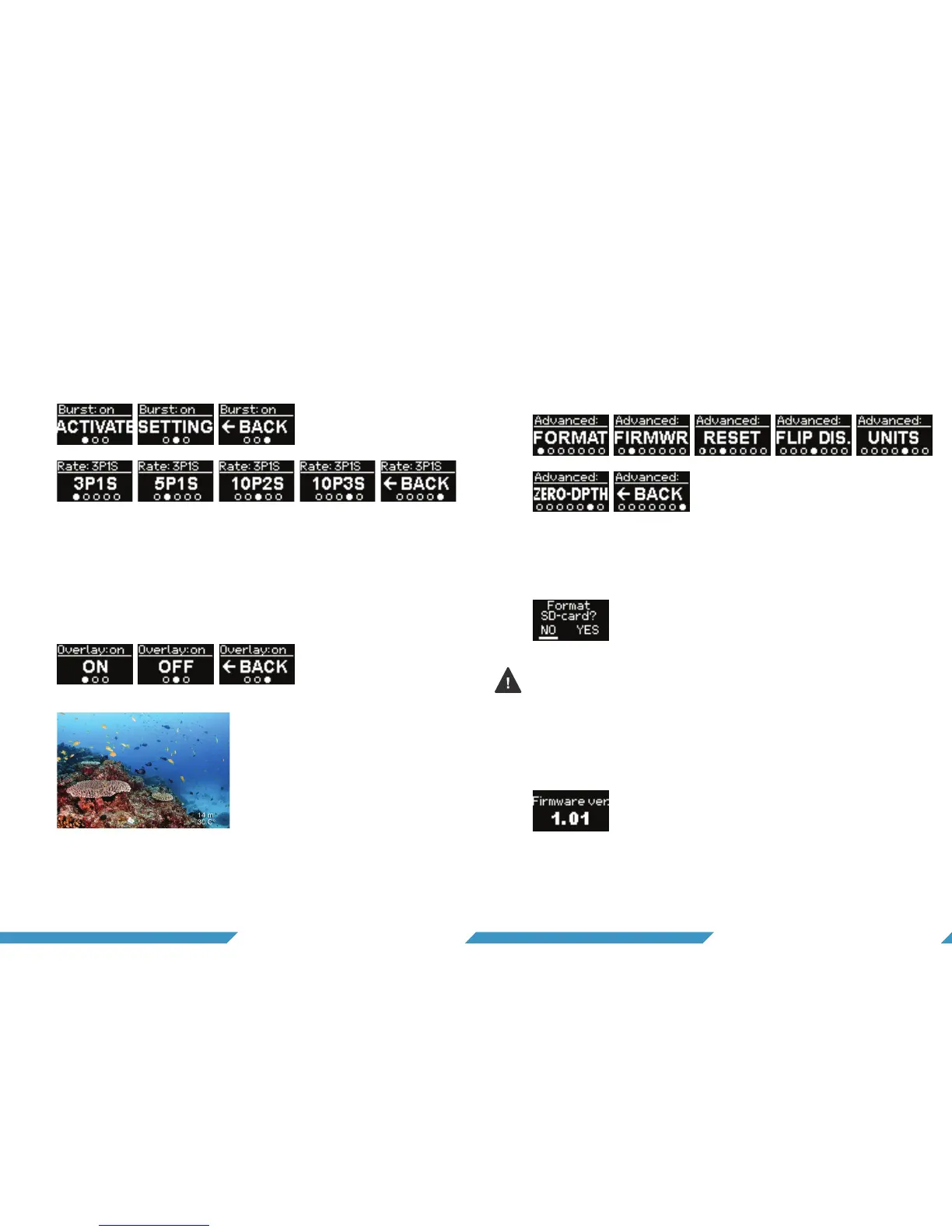
The advanced settings allows you to 1) format the SD-card
2) see which firmware is on the camera 3) reset settings on
the camera 4) flip the display and 5) choose units.
6.7.1 Format micro SD-card
If ‘format’ is selected, you must confirm that you want to for-
mat the micro SD-card.
6.7.2 Which version of firmware is installed on the camera?
If ‘firmwr’ (firmeware) is selected, the version number will be
shown for a short period of time.
6.6.4 Photo burst
To activate photo burst mode select the ‘activate-screen’ and
hold to assign it to the custom mode. In settings you can se-
lect how many images are taken per amount of time.
6.6.5 Visual overlay
The visual overlay embeds depth and temperature to your
videos or your photos. To activate visual overlay select 'overlay'
in the main settings menu. Here you can turn the visual overlay
on and off. Note that a visual overlay cannot be removed after
being embedded in a media file.
Example of visual overlay embedded
Reformatting the SD-card will delete all data, so make sure to
save the footage you want to keep on your computer before
reformatting the card.


 To Next Page