1312
4. PHOTO & SNAP RECORD
The photo & snap record-screen will appear when the mode is
selected.
If you use flashlights or floodlights when diving, turn off DCC™.
Click three times to turn off/on the DCC™. The screen will show
the DCC™ status. For more information on DCC™ go to section 6.3.
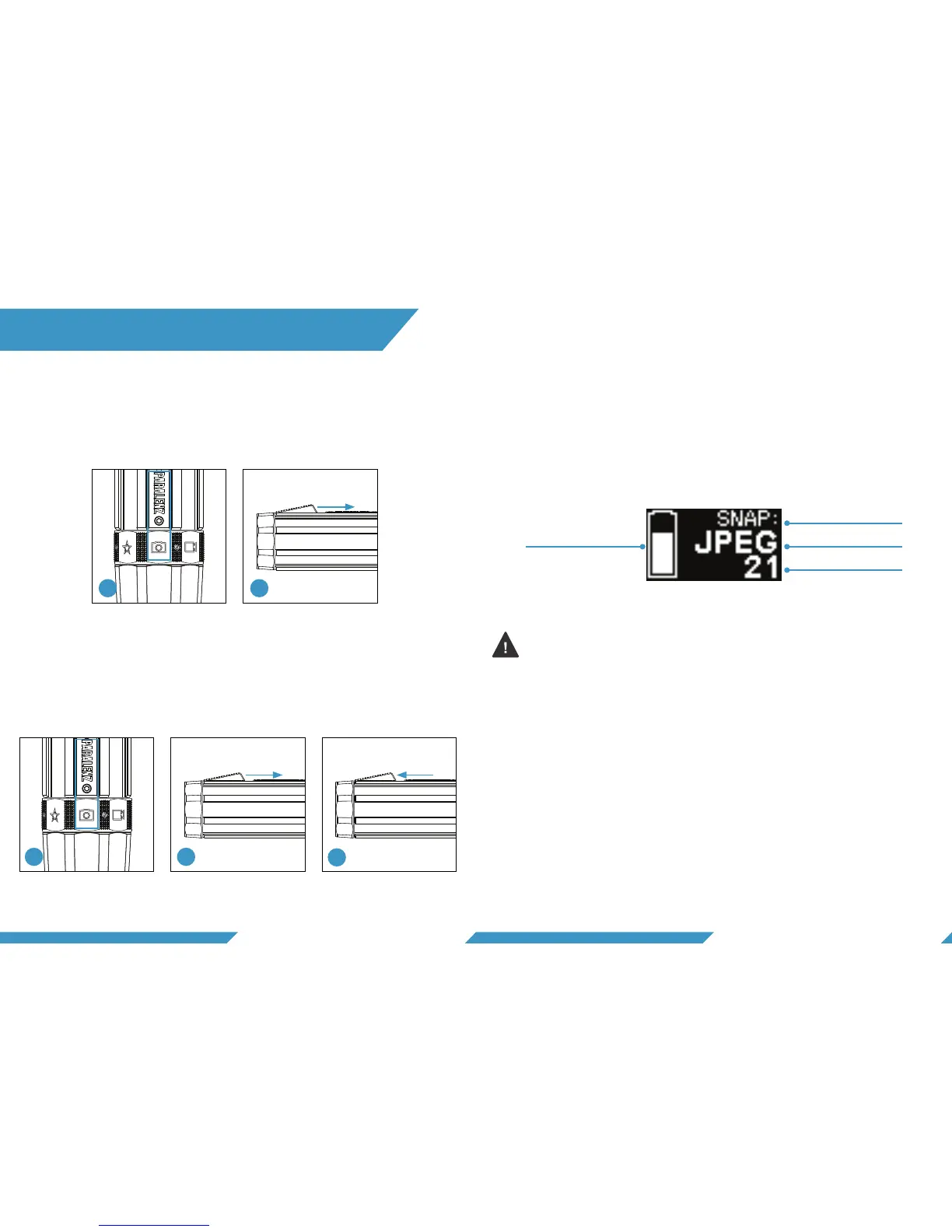
4.4 PHOTO & SNAP VIDEO RECORD SCREEN
Mode
Battery Image format
Photos taken
1) Select the photo & snap record-mode on the selector ring
2) Hold and keep holding the activation switch to record
3) Release the activation switch to stop the recording
4.2 RECORD A SNAP VIDEO
Hold Release
Record video Stop
1) Select the photo & snap record-mode on the selector ring.
2) Click the activation switch to take a picture.
Click
Take picture
4.1 TAKE A PHOTO
Snap record is a easy way to switch between pictures and
video recording. You only record and photograph what you
want to.
4.3 WHAT IS A SNAP VIDEO?
21
2
3
1


 To Next Page