2120
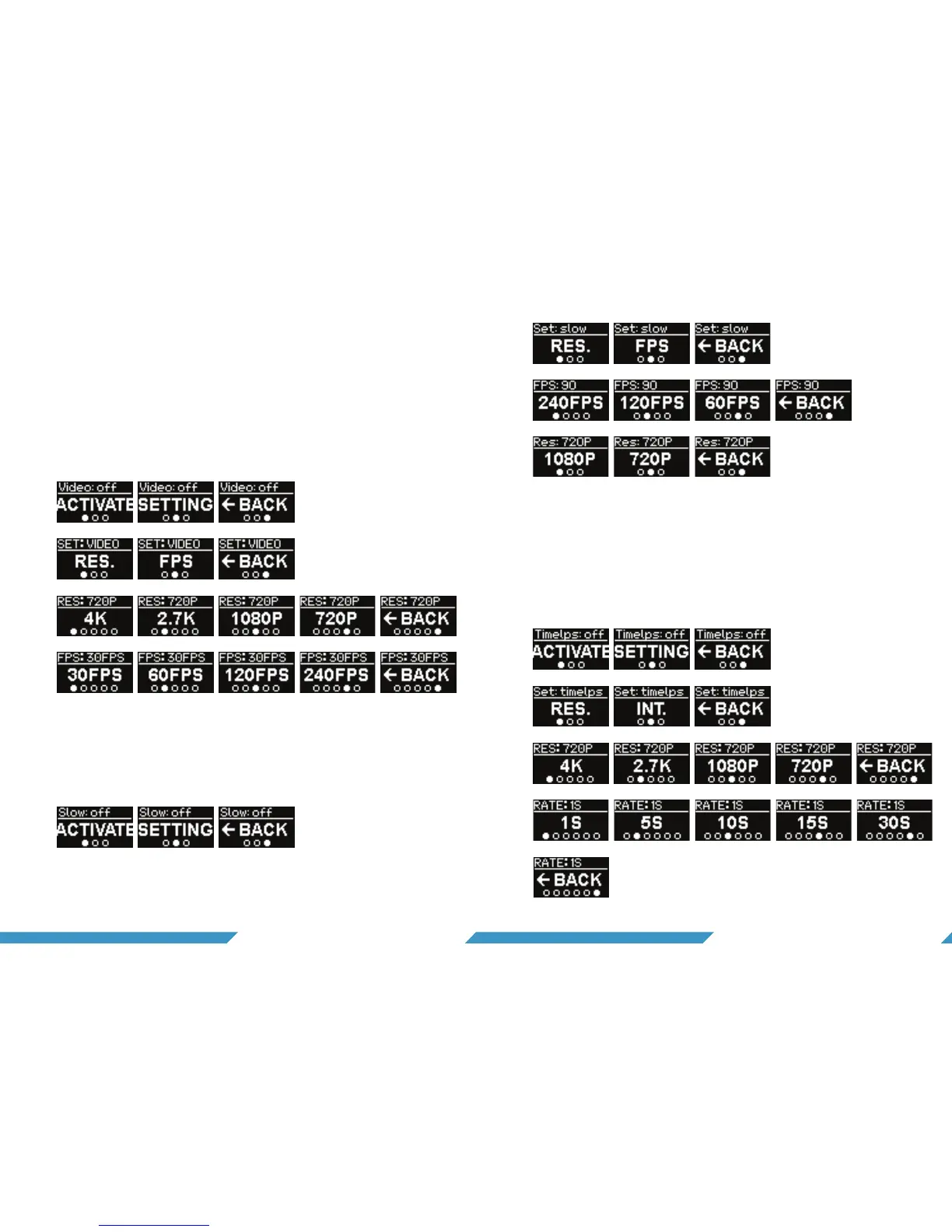
6.6.1 Custom video
You can change the video mode on the camera. If you want
to record for a longer time, select 1080P as the normal video
mode, but if there’s something you want to record in 4K, you
can assign it to the custom mode.
To activate this mode just select the ‘activate-screen’ and hold
to assign it to the custom mode. The settings in custom video
are the same as in normal video.
6.6.3 Time-lapse
To activate time-lapse mode just select the ‘activate-screen’
and hold to assign it to the custom mode. In settings you can
select your resolution and time interval between the pictures
taken.
6.6.2 Slow motion
To activate slow motion mode, select the ‘activate-screen’
and hold to assign it to the custom mode. In settings, you can
change the resolution and frames per second.


 To Next Page