Page 134 · Robotics with the Boe-Bot
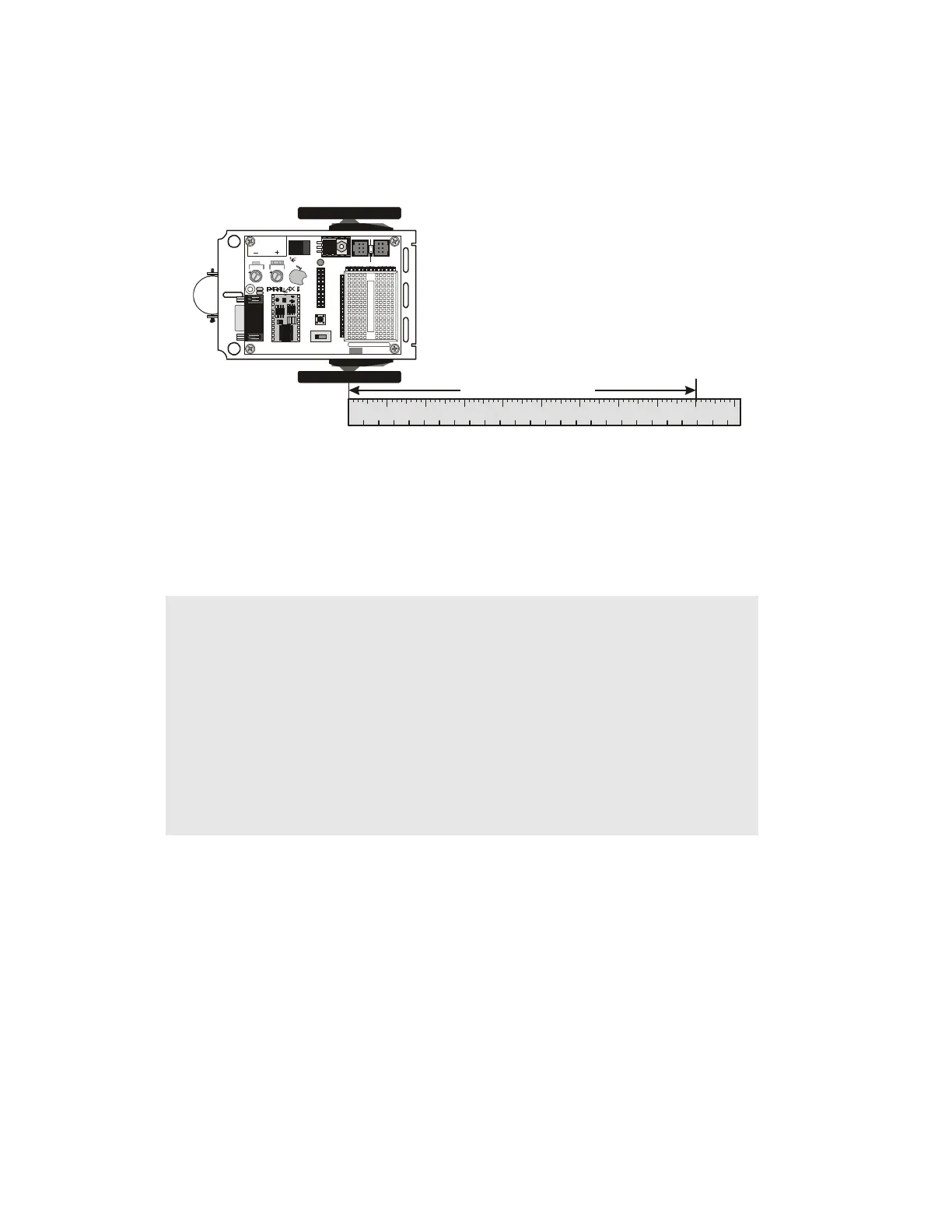
√ Place your Boe-Bot next to a ruler as shown in Figure 4-3.
√ Make sure to line up the point where the wheel touches the ground with the 0
in/cm mark on the ruler.
Figure 4-3: Measuring Boe-Bot Distance
www.st ampsi nclass. com
Res et
S
T
A
M
P
S
C
L
A
S
S
i
n
Board of Education
Pwr
9 Vdc
Battery
6-9VD C
Sout
Sin
ATN
Vss
P0
P1
P2
P3
P4
P5
P6
P7
P11
P9
P8
Vin
P10
P15
P14
P13
P12
Vdd
Rst
Vss
Bla ck
Red
X4 X 5
15 14 1 3 12
1
X1
Vss
P1
P3
P5
P7
P9
P11
P13
P15
Vin
Vss
P0
P2
P4
P6
P8
P10
P12
P14
Vdd
U1
TM
0 1 2
© 2000-2003
Vdd
P15
P14
P13
P12
P11
P10
P9
P8
P7
P6
P5
P4
P3
P2
P1
P0
X2
X3
Vdd VssVin
Rev C
123
4
56
123456789101112131415
inch
cm
78910
16 17 18 19 20 21 22 23 24 25
Measured Distance
√ Press the
Reset button on your board to re-run the program.
√ Measure how far your Boe-Bot traveled by recording the measurement where the
wheel is now touching the ground here:__________________ in / cm.
Example Program: ForwardOneSecond.bs2
' Robotics with the Boe-Bot - ForwardOneSecond.bs2
' Make the Boe-Bot roll forward for one second.
' {$STAMP BS2}
' {$PBASIC 2.5}
DEBUG "Program Running!"
counter VAR Word
FREQOUT 4, 2000, 3000 ' Signal program start/reset.
FOR counter = 1 TO 41
PULSOUT 13, 850
PULSOUT 12, 650
PAUSE 20


 To Next Page