Chapter 7: Navigating with Infrared Headlights · Page 257
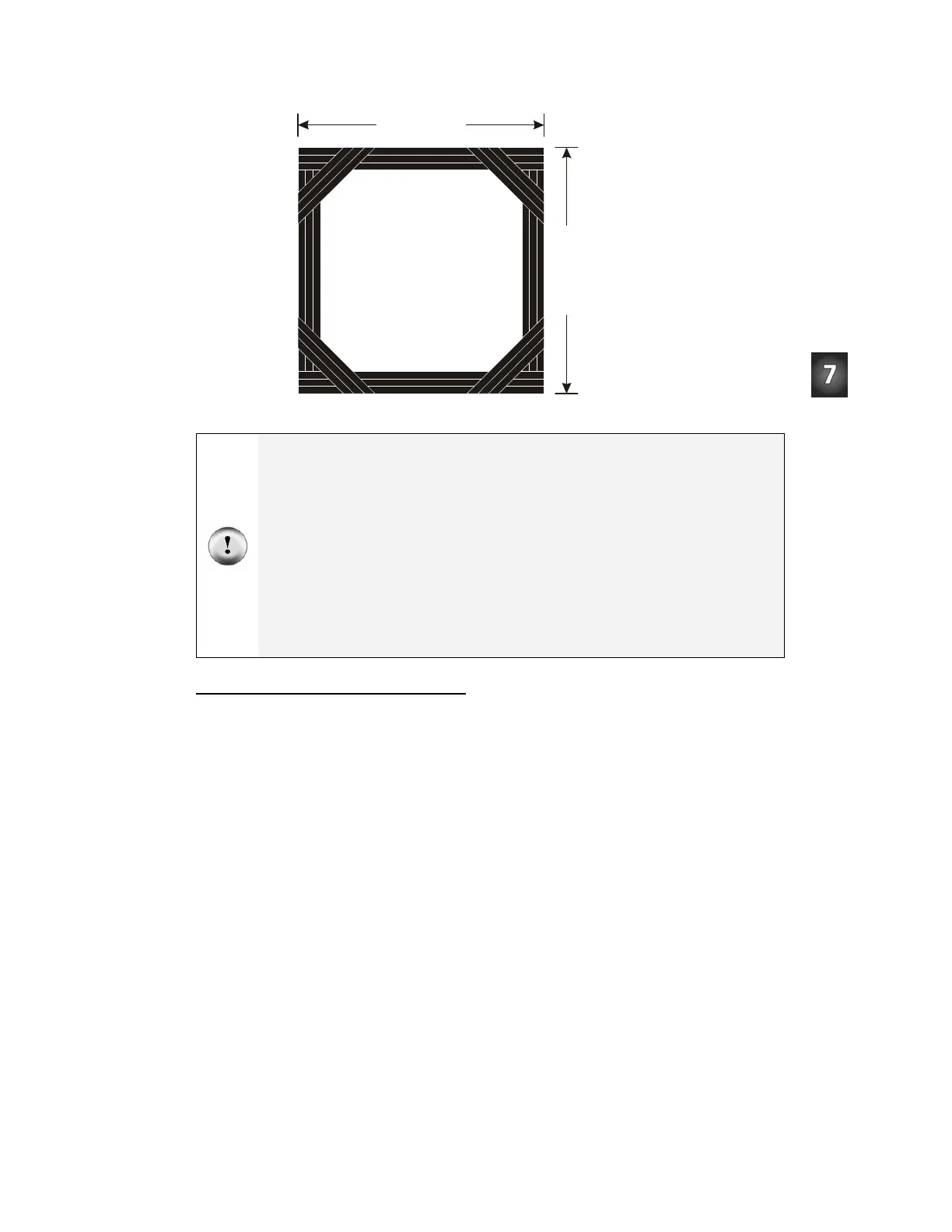
22” (56 cm)
2
2
”
(
5
6
c
m
)
Figure 7-9
Electrical Tape
Outline
Simulates
Tabletop Edge
If you try a tabletop after success with the electrical tape course:
√ Remember to follow the same steps you followed before running the Boe-Bot in the
electrical tape delimited course!
Make sure to be the spotter for your Boe-Bot. Be ready as your Boe-Bot roams the tabletop:
√ Always be ready to pick your Boe-Bot up from above as it approaches the edge of the
table it’s navigating. If the Boe-Bot tries to drive off the edge, pick it up before it takes
the plunge. Otherwise, your Boe-Bot might become a Not-Bot!
√ Your Boe-Bot may detect you if you are standing in its line of sight. Its current program
has no way to differentiate you from the table below it, so it might try to continue
forward and off the edge of the table. So, stay out of its detector’s line of sight as you
spot.
Programming for Drop-Off Detection
For the most part, programming your Boe-Bot to navigate around a table top without
going over the edge is a matter of adjusting the
IF...THEN statements from
FastIrNavigation.bs2. The main adjustment is that the servos should be directed to make
the Boe-Bot roll forward when
irDetectLeft and irDetectRight are both 0,
indicating that an object (the table’s surface) has been detected. The Boe-Bot also has to
turn away from a detector that indicates it has not detected an object. For example, if
irDetectLeft is 1, the Boe-Bot had better turn right.


 To Next Page