24 GB
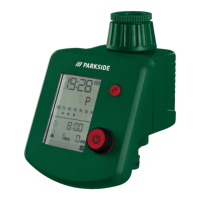
2. Set the time in hours with the rotary control
6
(for example 9 hours) and
confirm with the button
5
. The minute display in the current time
12
will
flash on screen.
3. Set the time in minutes with the rotary control
6
(for example 30 minutes)
and confirm with the button
5
(see Fig. E1).
4. “12 Hr/24 Hr” will flash on screen. Set with the rotary control
6
(for example 24 Hr) and confirm with the button
5
(see Fig. E2).
5. The cursor in the current weekday
13
will flash on screen.
6. Set the day of the week with the rotary control
6
(for example Wednesday)
and confirm with the button
5
(see Fig. E3).
Programming for automatic watering
1. Turn the rotary control
6
to select program 1 to 6.
2. The current watering program (1–6)
18
will flash on screen.
3. Use the rotary control
6
to set the program number (e. g. program 3) and
confirm by pressing the button
5
(see Fig. E4).
4. The waterdrop frame on the programmed watering days
17
flashes. Turn
the rotary control
6
to turn the watering day on or off. The corresponding
water
drop symbol is displayed or turned off. Press the button
5
to enter









 To Next Page