GB 27
Manual operation for watering
The valve can be opened or closed manually at any time. A program-
controlled open valve can be closed early without changing the program data
(watering start time, run time and frequency).
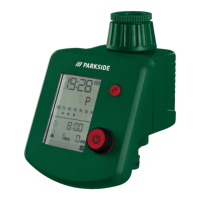
1. Press and hold the button
4
for approx. 2 seconds. The irrigation start
indicator
16
flashes.
2. The product will start watering and the time displays in a countdown manner.
3. Press the button
5
to set the manual watering time. It can be set from
1 minute to 9 hours and 59 minutes. When it is set to 0:00, the default is
1 minute (for example set to 5 hours 59 minutes) (see Fig. E10).
4. Press and hold the button
4
for 2 seconds to stop the manual watering,
and the display returns to normal.
5. The default of manual watering time is 59 minutes.
Remark: When the scheduled start time is being executed, there is a manual
watering. The scheduled program is invalid this time and it will not be executed
until the next scheduled cycle.






 To Next Page