PS-3225 Connect the Sensor Wirelessly in PASCO Capstone
39
013-16123A
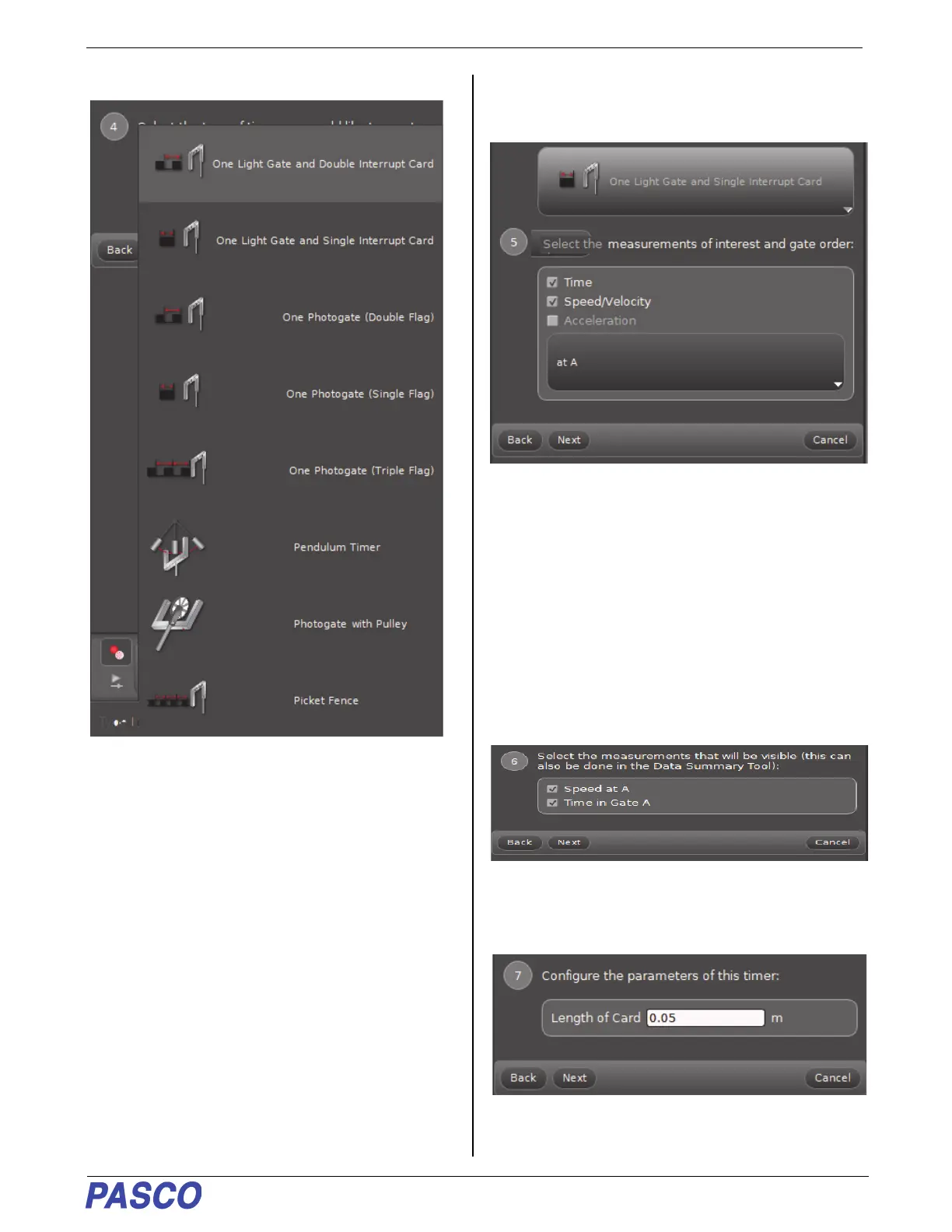
7. Click the Select a Timer menu button.
• This shows a long list of Timer choices.
8. For this example, select “One Light Gate and
Single Interrupt Card.
.
• The default measurements are “Time” and
“Speed/Velocity”. The “gate order” is at A. For this
example, the “Accelertion” default choice is not
acceptable because One Light Gate can’t
determine acceleration. The other choices are
acceptable.
9. Click “Next” to open Step 6.
• Note that “Speed/Velocity” is now “Speed at A”
because there is not enough information to
determine direction.
10. Because these measurements are acceptable,
click “Next” to open Step 7.
• Step 7 shows that the Length of Card is 0.05 m (5
cm).


 To Next Page