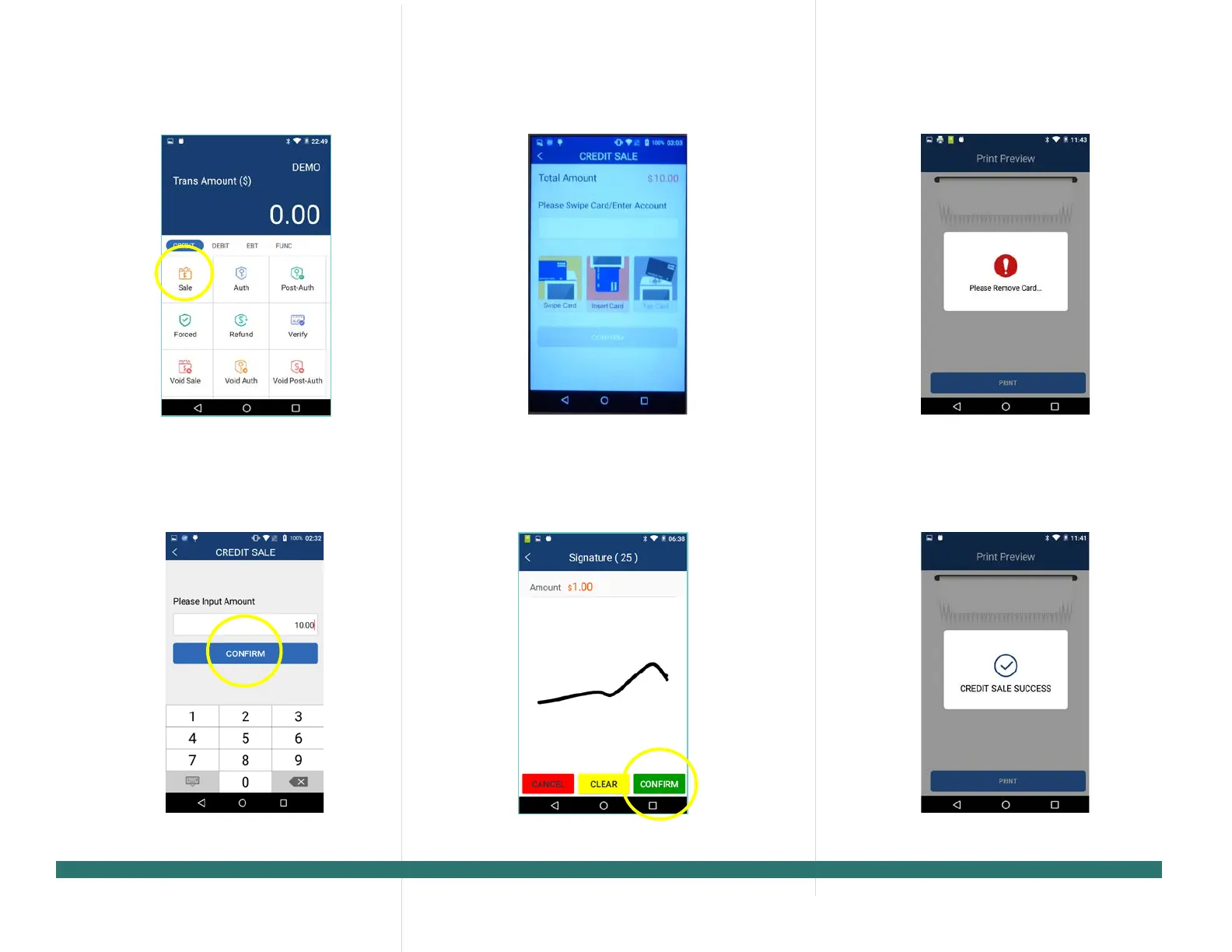
From the idle screen select the
[Sale].
Please enter the sale amount and
[CONFIRM].
Insert, swipe or manually
4. Sign card holder signature on the
[CONFIRM] to
accept or [CLEAR] to clear the signature
and retry the signature again or
[CANCEL] to print the receipt with the
blank
signature line.
5. Please remove the card.
6. The terminal will display the
PAX Technology, 8880 Freedom Crossing Trail,
Building 400, 3rd Floor, Suite 300, Jacksonville, FL 32256


 To Next Page