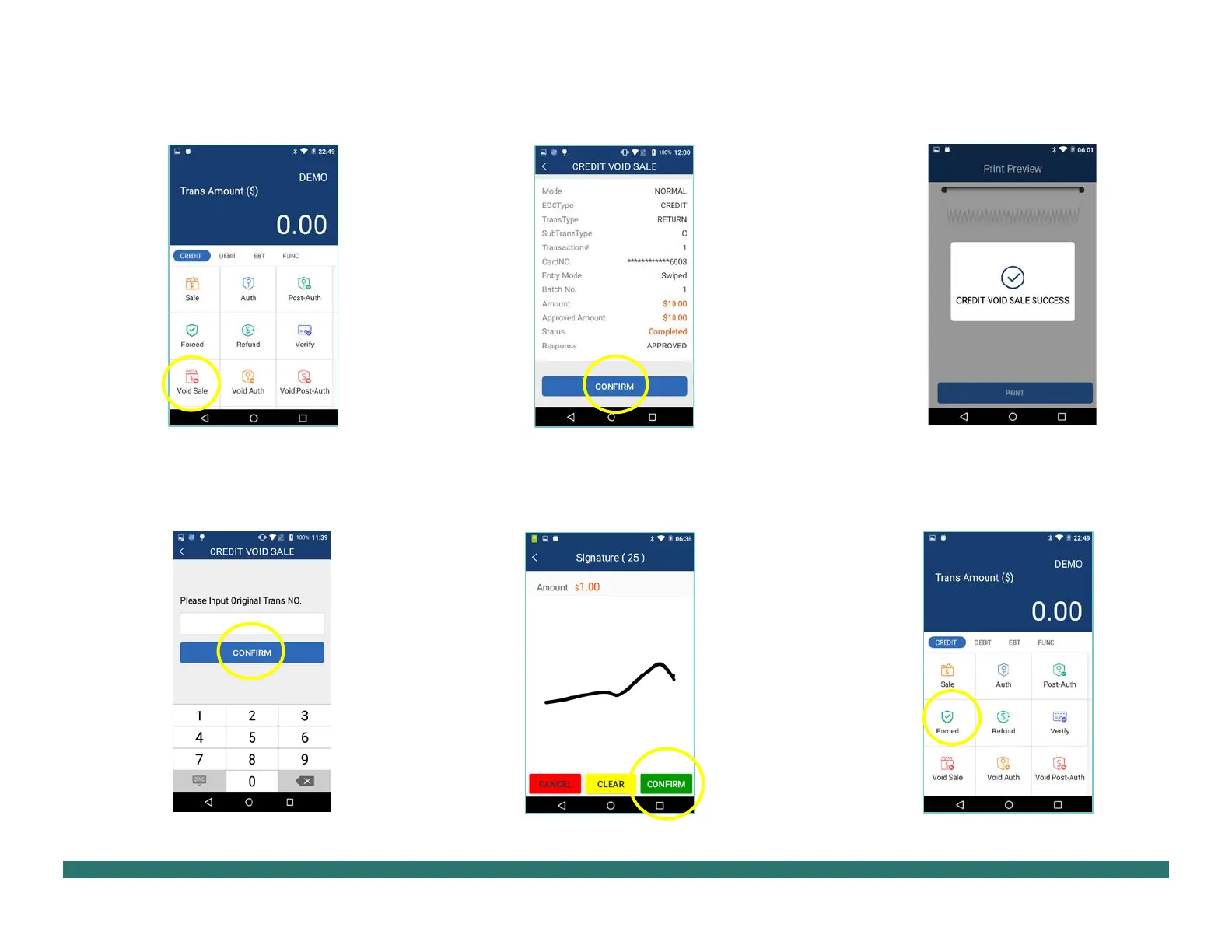
1. From the idle screen select the
[Void Sale].
2. Input the original transaction
[CONFIRM].
3. Select [CONFIRM] if the displayed
transaction is the one to be voided. Scroll
screen up to locate the confirm button.
4. Sign card holder signature on the
[CONFIRM]
to accept or
[CLEAR] to clear the signature and retry the
signature again or [CANCEL] to print the receipt
with the signature line.
5. The terminal will display the
ransaction status
1. From the idle screen select the
[Forced].
PAX Technology, 8880 Freedom Crossing Trail,
Building 400, 3rd Floor, Suite 300, Jacksonville, FL 32256


 To Next Page