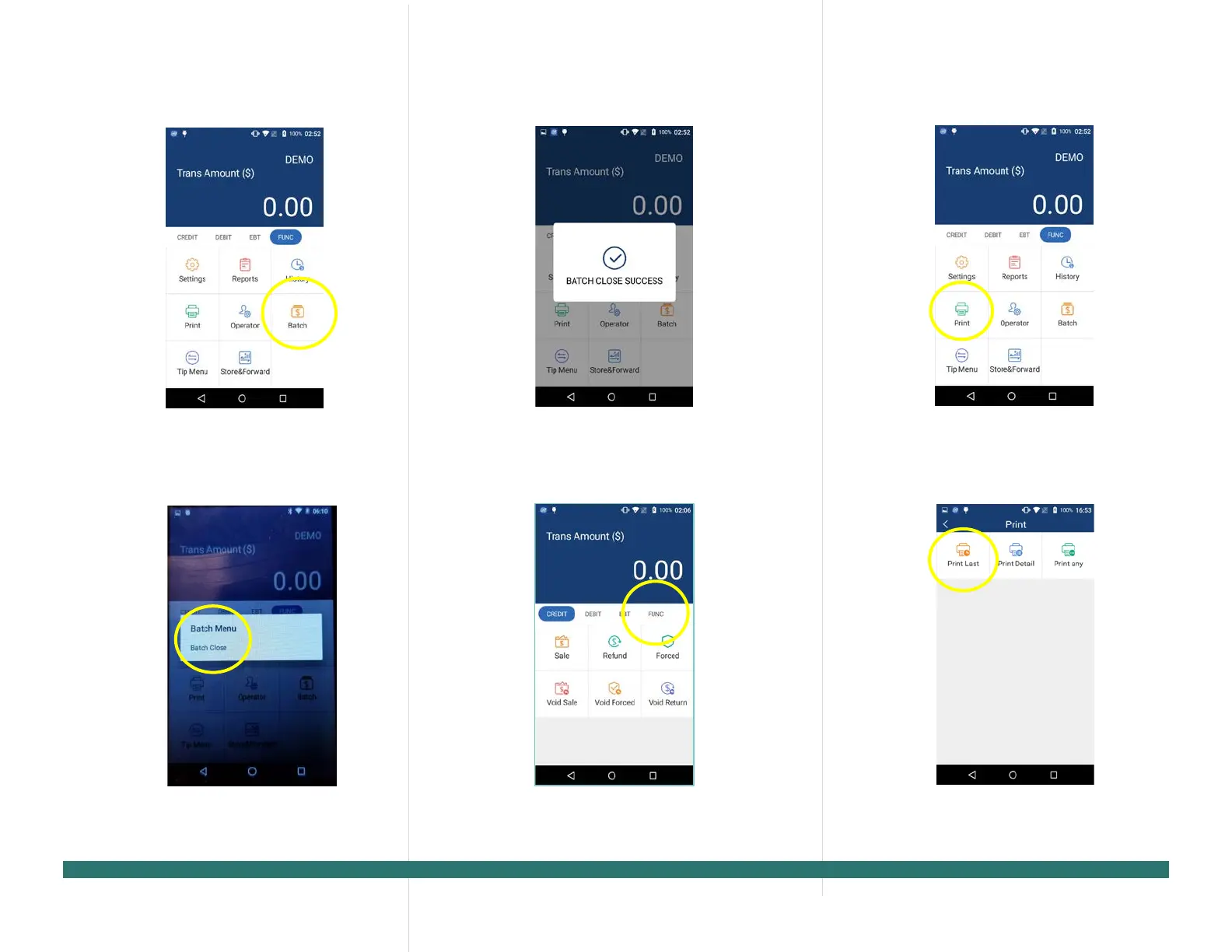
2. Select the [Batch] option.
3. When prompted “Batch Close”
[Batch Close] to close the batch
or select [X] to cancel the batch close.
4.
The terminal will display the batch close
status.
tep 1. From the idle screen select the [FUNC]
.
tep 2. Select the [Print] option.
. To reprint the last transaction,
[Print Last] option.
PAX Technology, 8880 Freedom Crossing Trail,
Building 400, 3rd Floor, Suite 300, Jacksonville, FL 32256



 To Next Page