PCAN-USB Hub – User Manual
13
3. Put the bottom cover on the aluminum casing and screw the
four lower corner screws.
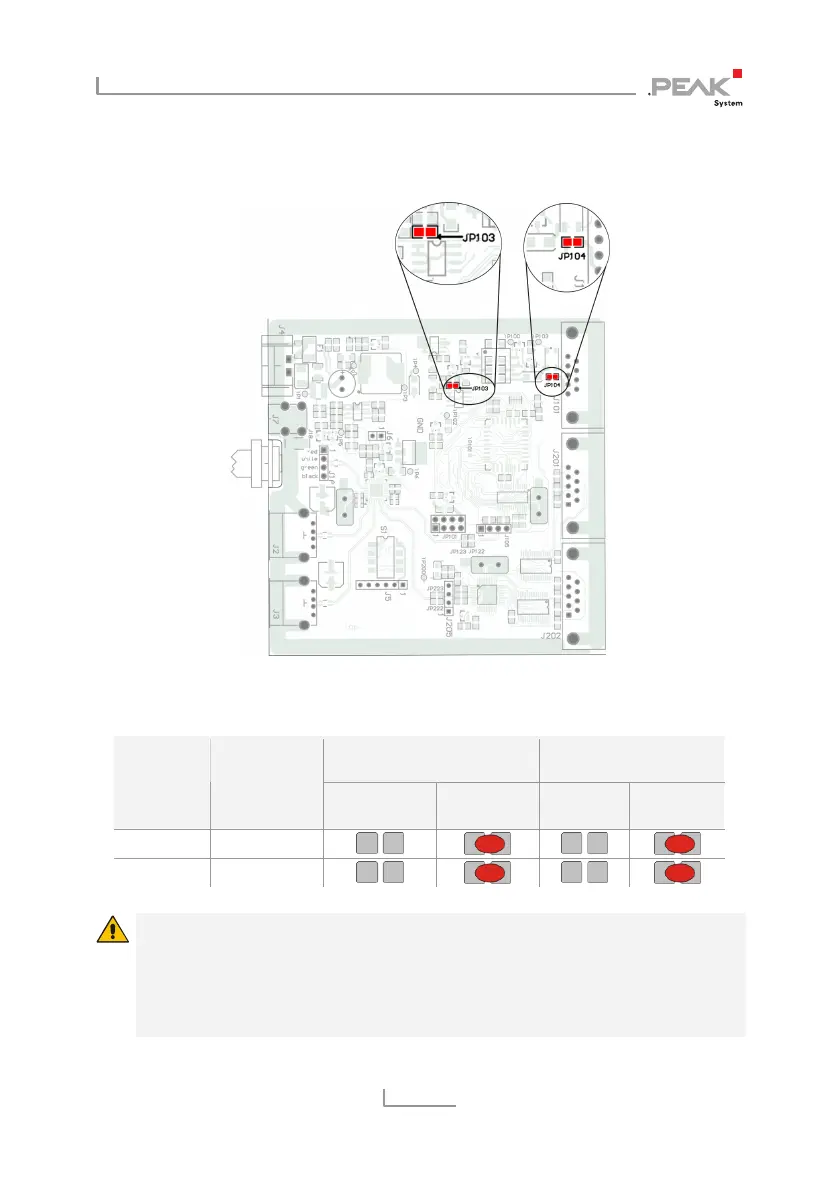
Figure 3: Positions of the solder fields JP103 and JP104
on the PCB of the PCAN-USB Hub
5-Volt supply External voltage
supply (9 - 36 V)
D-Sub
connector
Solder field
Without
(standard)
Pin 1 Without
(standard)
Pin 9
CAN 1 JP104
CAN 1 JP103
Risk of short circuit! The voltage supply is not protected
separately. Therefore, turn off the computer before you connect
and disconnect CAN cables or peripheral systems.
Consider that some computers still supply the USB ports with
power even when they are turned off (standby operation).



 To Next Page