PCAN-USB Hub – User Manual
14
3.4 RS-232
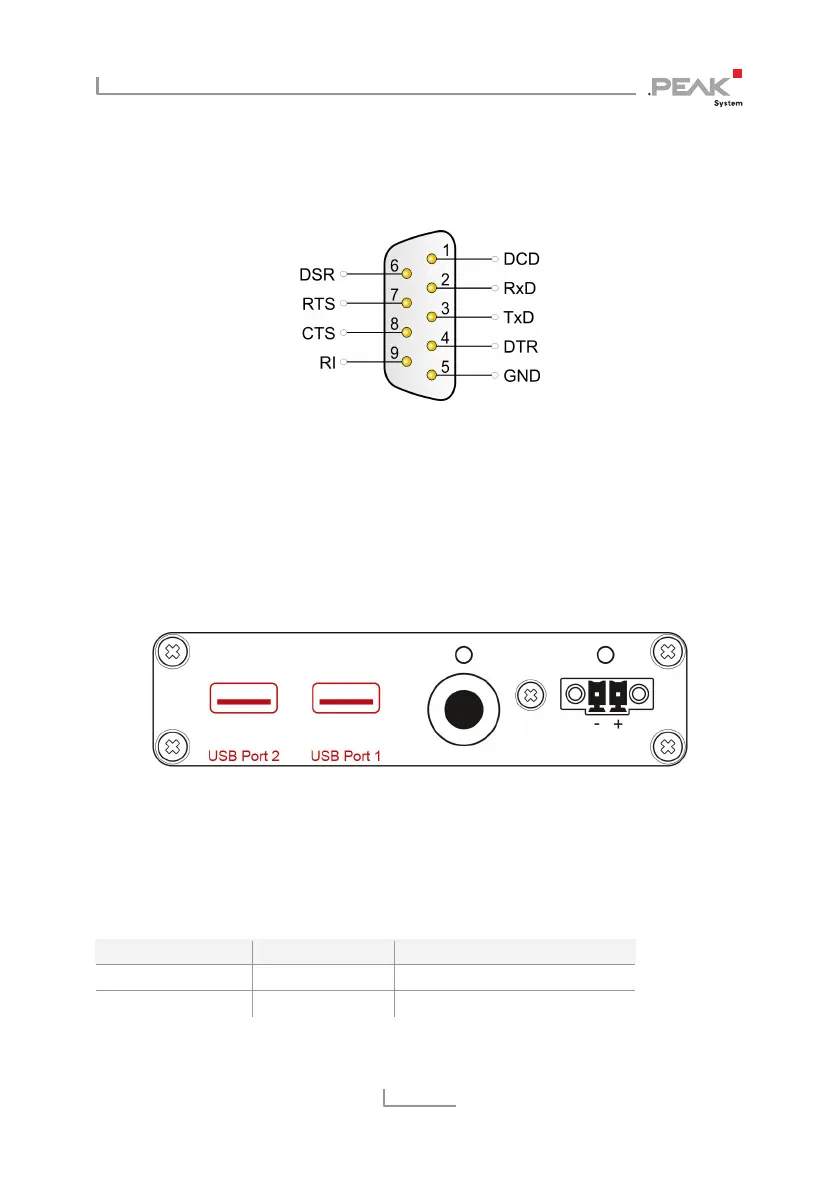
An RS-232 connection is done via a 9-pin D-Sub connector.
Figure 4: Pin assignment RS-232 A/B
(view onto connector of the PCAN-USB Hub)
3.5 USB Ports (Downstream)
Further USB devices can be connected to the USB ports 1 and 2.
Figure 5: USB ports at the back of the PCAN-USB Hub
When using the USB ports, we recommend the voltage supply of
the PCAN-USB Hub via the power socket (self-powered operation).
See also section 3.2 Power (Voltage Supply) on page 10.
Supply via Operating mode Current delivery USB port 1/2
Upstream port Bus-powered max. 100 mA
Power socket Self-powered max. 500 mA



 To Next Page