PCAN-USB Hub – User Manual
18
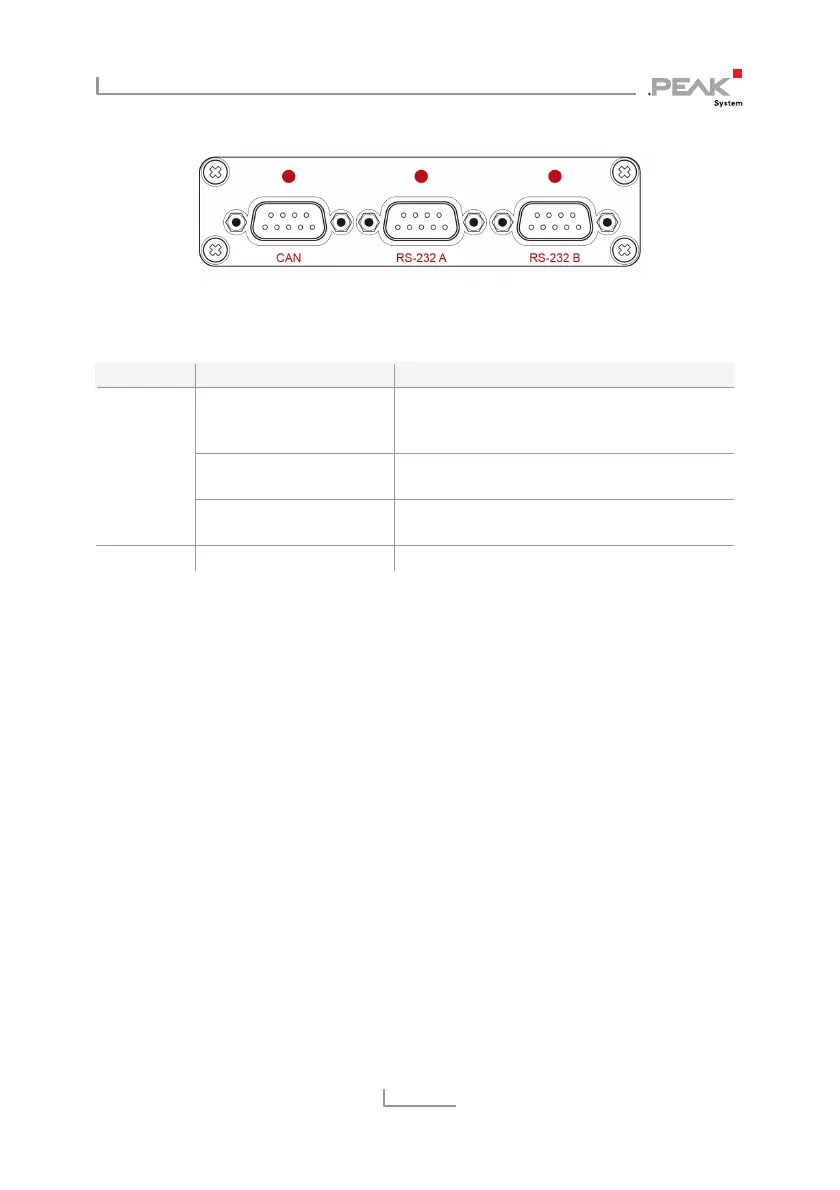
Figure 8: Arrangement of the LEDs on the front side,
CAN / RS-232 A/B
LED Status Meaning
Red on The CAN interface is initialized. There's a
connection to a driver of the operating
system
Red slow blinking A software application is connected to the
CAN interface
CAN
Red quick blinking Data is transmitted via the connected CAN
bus
RS-232 A/B Green quick blinking Transmission on TxD or RxD
4.2 Unplugging the Hub
Under Windows the icon for removing hardware safely is not used
with the PCAN-USB Hub. You can unplug the adapter from the
computer without any preparation.
4.3 Distinguishing Several PCAN-USB Hub
You can operate several PCAN-USB Hub adapters on a single
computer at the same time. The supplied program PCAN-View
allows the assignment of device IDs in order to distinguish the
adapters in a software environment. Fore more information see
section 5.1.3 on page 24.



 To Next Page