EasyManua.ls Logo

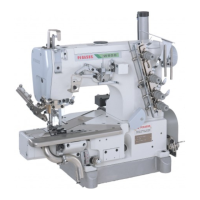
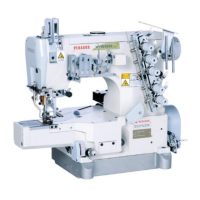
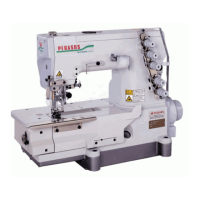
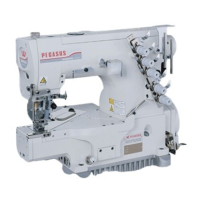
Pegasus W500 Series - User Manual

Pegasus W500 Series
36 pages
Print Icon
To Next Page IconTo Next Page
Loading...
AI
Device
Thank you for purchasing Pegasus' labor saving device.
Study this manual very carefully before beginning any
of the procedures and then use the device correctly and
safely.
Keep this manual in a convenient place for quick refer-
ence when needed.
Automatic differential feed amount switching
device
INSTRUCTIONS
W500 Series
Models: AI 100
AI 110

Other manuals for Pegasus W500 Series

Questions and Answers

  • C
    campbellcherylJul 27, 2025
    What to do if "AI Error" appears on the screen of Pegasus Industrial Equipment?
    • J
      joshuacarpenterJul 28, 2025
      If the Pegasus Industrial Equipment displays "AI Error" on the screen, first check the gears for dust accumulation. Clean them to ensure the motor runs smoothly. If the gears don't engage properly, loosen screws 1 and remove any backlash or play so they engage correctly, then tighten screws 1.
  • J
    Jonathan LoweAug 2, 2025
    Why does my Pegasus Industrial Equipment show a garbled display or error messages?
    • Z
      znewtonAug 2, 2025
      If the Pegasus Industrial Equipment shows a garbled display or "Error 1", "Error 2", or "Error 3", or if the entered data changes unexpectedly, turn off the power. Check that the two earth wires are correctly connected. Then, turn the power back on. If the data has changed, re-enter the correct data.
  • H
    Hannah LindseyAug 8, 2025
    How to troubleshoot if the Al device of Pegasus Industrial Equipment is not turned on?
    • J
      Jeremy CannonAug 8, 2025
      If the Al device of your Pegasus Industrial Equipment is not turning on, ensure the power relay cord is correctly connected to the controller, and verify that the cord matches the supply voltage. Also, check the wiring inside the power switch and connect wires of the same colors. Finally, inspect the controller's fuse and replace it if broken.
  • A
    Alison RyanAug 14, 2025
    What to do if the Al motor keeps running on my Pegasus Industrial Equipment?
    • J
      jhutchinsonAug 14, 2025
      If the motor for the Al device of your Pegasus Industrial Equipment keeps running while the power is on, ensure the three sensors on the Al motor can detect the lever by properly positioning the lever. Also, make sure that even when the power is off, the differential lever is aligned with at least one of the three sensors. Check that the relay cords for the three sensors are correctly connected, matching the same colors.
  • E
    Emily CrawfordAug 20, 2025
    Why can't I change an item on my Pegasus Industrial Equipment?
    • R
      robertbrownAug 20, 2025
      If an item cannot be changed on your Pegasus Industrial Equipment, it might be because "Item Change With M Level" is selected in the function select mode on the Operator Level. To fix this, select "Item Change With M/O Level."

Summary

Introduction

Indications of Dangers, Warnings, and Cautions

Safety Precautions

Applications and Performance Overview

Details the device's purpose and operational capabilities.

Environmental and Usage Circumstances

Conditions that may affect device life, function, performance, and safety.

Notes for Each Procedure

Unpacking Procedures

Instructions for safely unpacking the machine and device.

Installation and Preparation Steps

Guidance on installing and preparing the device for operation.

Applications and Performance

Installing the Al Device

Installing the Console Box and Power Box

Description of the Power Box

Replacing the Fuse for the Power Box

Connecting Cords

Description of the Al Console Box

Adjusting the Sensitivity of the Sensor

Before Entry

Initializing the Al Device

Steps to reset the AI device to its default settings.

Initializing the Differential Feed Amount

Procedure to set the differential feed mechanism to its standard position.

Programming the Sewing Mode

Function Selecting Mode

Output Counter Functionality

Configuration and operation of the production output counter.

Item Number Change

Procedure to select or change the sewing item number.

Language Selection

Setting the display language to Japanese or English.

Tape Cutter Timer Operation

Adjusting the activation timing for the tape cutter function (Al 110).

Mesh Counter Settings

Configure mesh fabric sewing and stitch counting.

To Change and;or Enter Sewing Data

Change of Item Number

Procedure to select or change the sewing item number.

Programming Sewing Data Entries

To Enter Data During Sewing

Teaching Mode Operation

Using the teaching function to program differential feed and stitch counts.

Testing Mode

AI Trouble Shooting

Pegasus W500 Series Specifications

General IconGeneral
BrandPegasus
ModelW500 Series
CategorySewing Machine
LanguageEnglish

Related product manuals