1-26 Chapter 1: Product introduction
1.10.2 Internal connectors
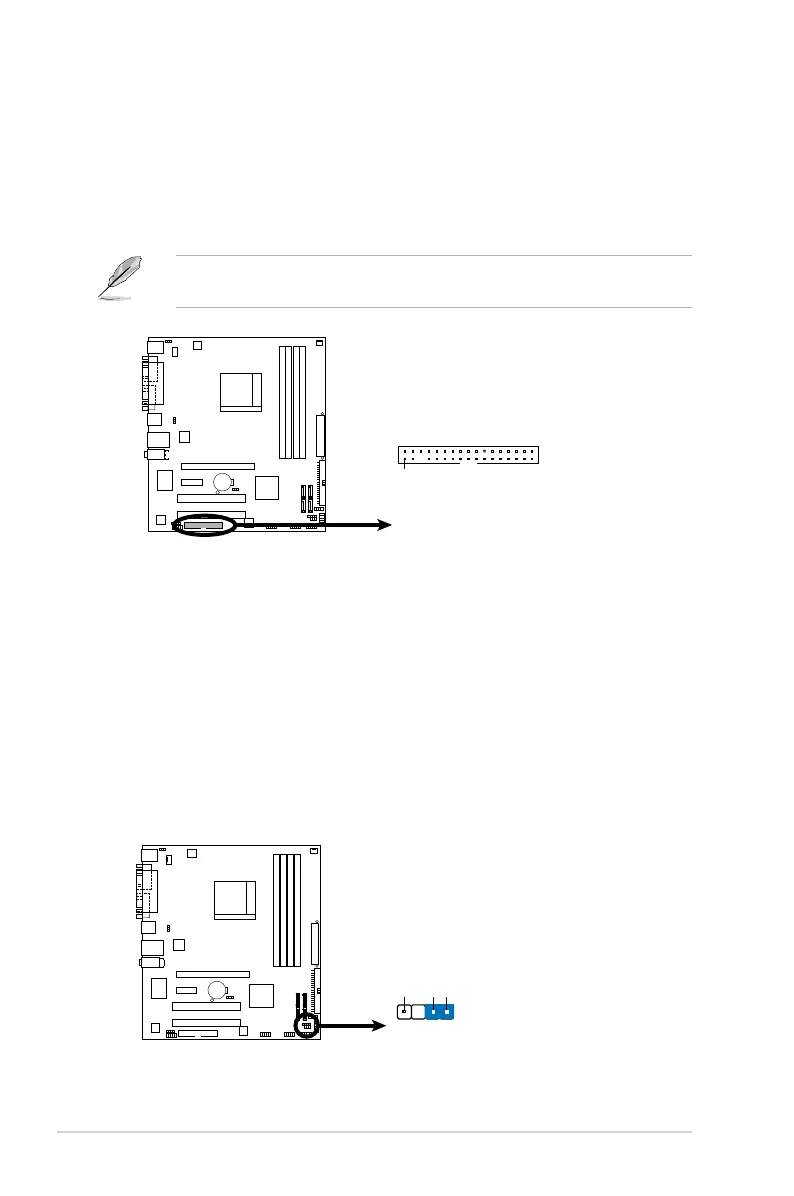
1. Floppy disk drive connector (34-1 pin FLOPPY)
This connector is for the provided oppy disk drive (FDD) signal cable. Insert
one end of the cable to this connector, then connect the other end to the
signal connector at the back of the oppy disk drive.
2. Chassis intrusion connector (4-1 pin CHASSIS)
This connector is for a chassis-mounted intrusion detection sensor or switch.
Connect one end of the chassis intrusion sensor or switch cable to this
connector. The chassis intrusion sensor or switch sends a high-level signal to
this connector when a chassis component is removed or replaced. The signal
is then generated as a chassis intrusion event.
By default, the pins labeled “Chassis Signal” and “Ground” are shorted with
a jumper cap. Remove the jumper caps only when you intend to use the
chassis intrusion detection feature.
Pin 5 on the connector is removed to prevent incorrect cable connection when
using an FDD cable with a covered Pin 5.
M2N-VM/S Floppy Disk Drive Connector
M2N-VM/S
PIN 1
NOTE:
Orient the red markings on
the floppy ribbon cable to PIN 1.
FLOPPY
M2N-VM/S
Chassis Intrusion Connector
M2N-VM/S
CHASSIS
+5VSB_MB
Chassis Signal
GND
(Default)



 To Next Page