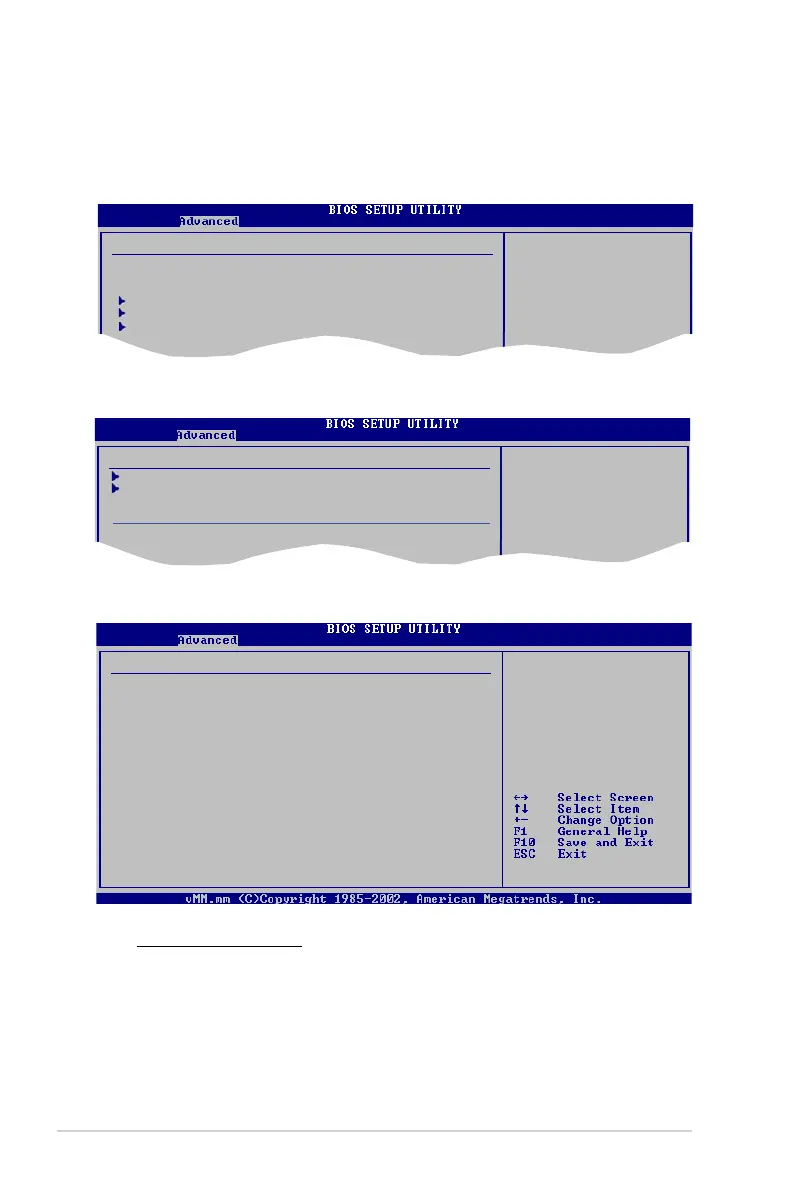
2-22 Chapter 2: BIOS setup
Memory Controller
Memory Conguration
ECC Conguration
Power Down Control [Auto]
NorthBridge Conguration
2.4.3 Chipset
The Chipset menu allows you to change the advanced chipset settings. Select an
item then press <Enter> to display the sub-menu.
Advanced Chipset Setting
WARNING: Setting wrong values in below
sections may cause system to malfunction.
Memory Controller
Southbridge Conguration
Hyper Transsport Conguration
Memory Options &
Information
Memory Conguration
Select the DRAM
Frequency programing
method. If Auto,
the DRAM speed will
be based on SPDs.
If Limit, the DRAM
spe will not exceed
the specic value.
If Manual, the DRAM
specied will be
programmed regardless
Memory Conguration
Memory Setting: 333MHz-5.0-5-5-15-2T
Memclock Mode [Auto]
CAS Latency (CL) [Auto]
TRCD [Auto]
TRP [Auto]
TRAS [Auto]
Command Timing (2T mode) [Auto]
MCT Timing Mode [Auto]
Bank Interleaving [Disabled]
Enable Clock to All DIMMS [Disabled]
MemClk Tristate C3/ATLVID [Disabled]
Memory Hole Remapping [Enabled]
Memclock Mode [Auto]
Sets the memory clock mode. Conguration options: [Auto] [Limit] [Manual]



 To Next Page