PELLENC BATTERY 250
56_158890-D
The green LED (4) will light up steady if the pruning shears are not connected to the battery.
Important
If there is no connector connected, it is imperative to put the protective cap on (otherwise there will be electrical
malfunctions).
Warning
Before using the 1.2 kW tool, read the relevant instruction manual carefully.
5.2. AUTHORISATION MODES
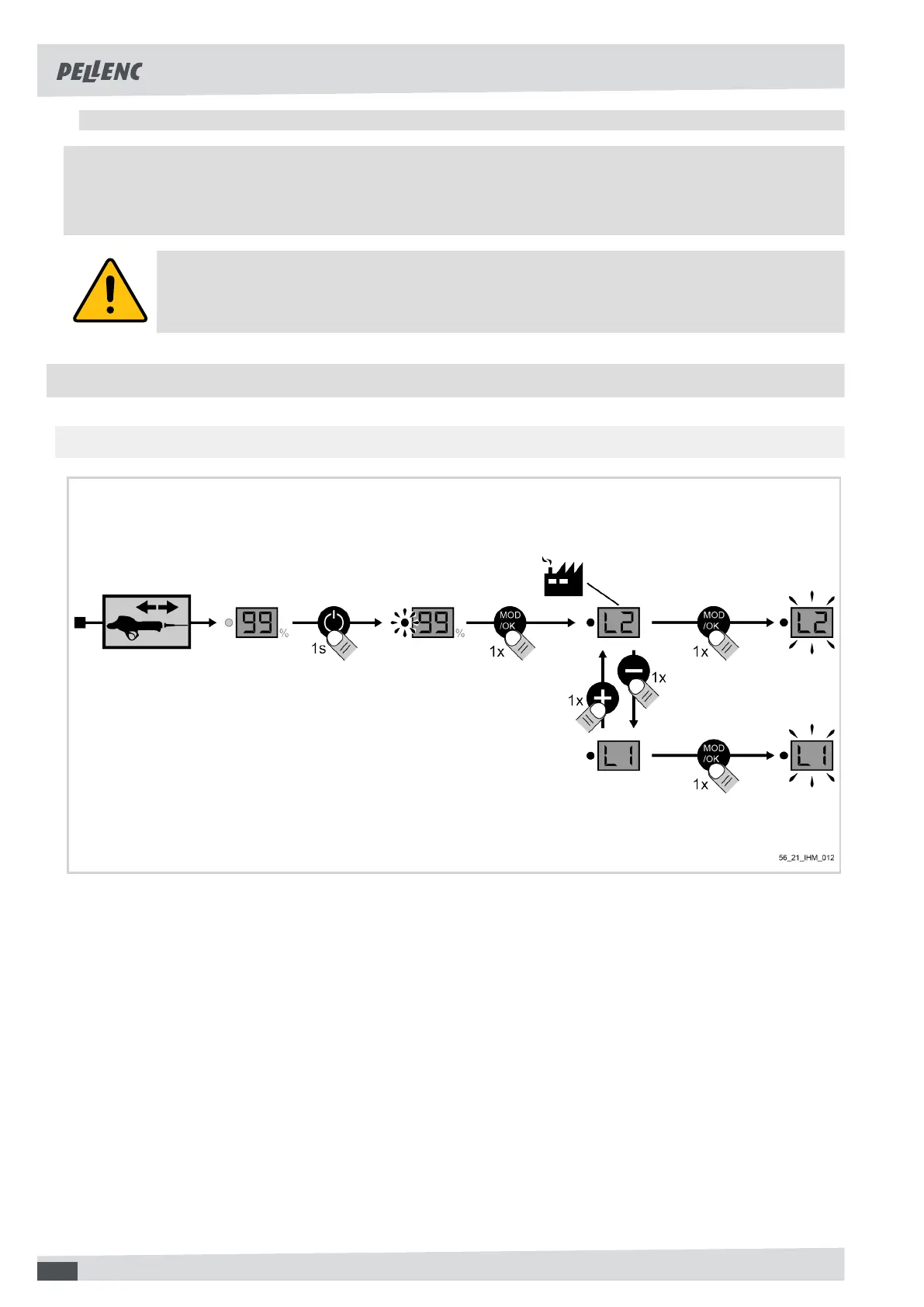
5.2.1. CHANGE OF AUTHORISATION MODE
1. Disconnect the tool and turn on the battery,
2. Press the "mode" button,
3. Select the mode by pressing + or -,
4. Press the "mode" button to confirm,
5. After setting the mode, turn off the battery and then reconnect the tool.
18



 To Next Page