26 27|
SETTING UP YOUR TREAD
SETTING UP YOUR TREAD CONTINUED
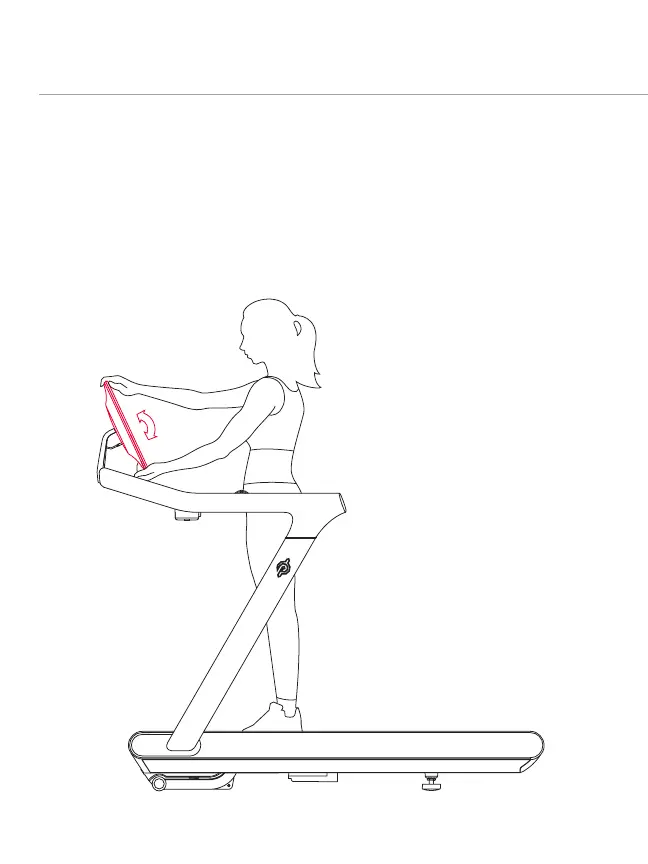
ADJUSTING THE TOUCHSCREEN
y Hold the top and bottom of the screen and tilt back or forward.
y You should be able to look at the screen comfortably from the center of the deck.
y Detach the magnetized clip from the center rail and clip it to a tight-tting
piece of clothing.
y If the Safety Key is detached, the belt will immediately stop moving and the Tread
will lock.
y The Tread will be disabled until the Key is reattached.
y To start running again, reattach the Safety Key.
y Always remove the Safety Key and store it in a separate location out of the reach of
children when the Tread is not in use.
y To reattach the Safety Key, insert the magnet end into the gap under the center button,
run the cord through the groove around the center button, and place the clip next to
the magnet.
SAFETY KEY
CAUTION: The Tread will function only when the Safety Key is present and fully
engaged. Do not lose the Safety Key. Always store the Safety Key away from the Tread
and out of reach of children.
NOTE: Do not try to rotate the touchscreen horizontally or it could break.



 To Next Page