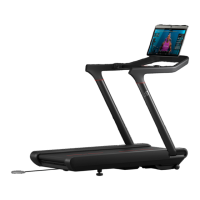
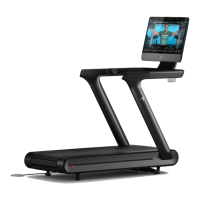
PARTS
Box 1:
Deck
Power Cord
Box 2:
Tray
Safety Key
Uprights x 2
Handrail
M5x10 button head screws x 4
M6x10 low prole cap head screws x 2
M6x10 at head cap screws x 2
M10x16 cap head screws with washers x 14
Box 3:
Touchscreen
USB-C Bracket
Philips head screws x 3
TOOLS REQUIRED
3mm Allen key
4mm Allen key
8mm Allen key
27mm spanner
Torque wrench with 4mm
and 8mm hex bits
4.7 N•m preset torque tool used by your
Peloton moving professional
Stubby (short) philips head screwdriver
42 43|
ASSEMBLY
ASSEMBLY
WARNING: The Peloton Tread was not designed for assembly and installation by
consumers. The Peloton Tread assembly instructions are intended to assist
trained, professional installers, using specialised tools, in assembling the Peloton
Tread. The Peloton Tread weighs 290 lb/132 kg and requires more than one person
to assemble and/or move. Do not attempt to move the Tread with fewer than two
people. Improper assembly of the Peloton Tread can lead to serious injury. Damage or
equipment failure resulting from the improper or negligent assembly will not be covered
under Peloton’s warranties. If you use these assembly instructions to assemble,
disassemble, or move the Peloton Tread, you do so entirely at your own risk. By
undertaking assembly of your Peloton Tread, you agree to waive and release
Peloton from any and all claims that you may have resulting from the assembly of the
Peloton Tread by anyone other than a trained professional.
WARNING: Perform a complete visual inspection of the Peloton Tread and test all
features and functions prior to use.
Problem: The belt comes to a stop during a workout.
Solution: If an error occurs during operation, the Tread belt will come to a stop. The stop
may be gradual or more sudden, depending on the error and your speed.
Errors could include:
y The Safety Key disconnecting
y The Tread not registering the presence of a user below the minimum user weight
y A temporary issue with the touchscreen software
If an error occurs, follow the instructions on the screen. If there are no instructions, use the
power switch on the front of the deck next to the power cord plug-in to turn the Tread off
and then on. Wait 30 seconds before switching it back on. See support.onepeloton.co.uk
for more information on possible errors.
Problem: Control lights are red.
Solution:
y Solid red lights indicate that the Safety Key is not connected. The Tread will
function only when the Safety Key is present and fully engaged. Try detaching
and reattaching it.
y Blinking red lights indicate an error. Follow the instructions on the screen, or,
if there are no instructions, use the power switch on the front of the deck next to the
power cord plug-in to turn the Tread off and then on. See support.onepeloton.co.uk for
more information on possible errors.
TROUBLESHOOTING CONTINUED



 To Next Page