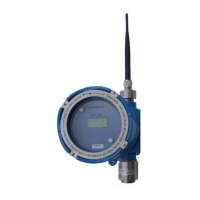
PT395 Series Detector
10. The microprocessor waits 60 seconds for the user to apply the calibration gas
while flashing the display approximately twice every second. Attach the calibration
adapter to the sensor head assembly and turn the gas on. When the flow of the
gas is detected by the sensor the display flashing rate will slow down to once every
second. If no gas is detected within 60 seconds the sensor aborts calibration and
will display Calibration Error code for few seconds before returning to normal
operation.
11. Apply the calibration gas for about 2 minutes.
12. After 2 minutes the sensor will display Adj for 5 to 15 seconds while making
adjustments and recording the calibration data into memory. When completed the
display will starts flashing rapidly. At this time remove the calibration gas and
allow the sensor to clear. Do not remove the calibration gas while the sensor is
adjusting. Remove the gas only when the adjustment is completed and the
display is rapidly flashing with calibration gas value.
13. While the gas from the sensor head assembly is being cleared the 4-20mA analog
output will be held at 2.0mA and alarm relay will not be activated until the sensor
has cleared. Once cleared the unit will return to its normal operation. The 2mA
level on the analog output line is an indication to any connected gas monitor that
the sensor is in calibration mode thus avoiding any false alarm.
Also refer to “Sensor calibration Flow Chart” for quick calibration review and
“Calibration Error and remedies”
If the ambient air is contaminated you may have to apply the zero air to clear
all the residual gas from the sensor head assembly. The sensor must clear
down to zero after the calibration gas in order to return to normal operation
for successful and accurate calibration.



 To Next Page