8-29 Command Reference
:CONFigure :ARRay :<Measuring Function>
8 (<array size>)[,<parameters> [,(<channels>)]]
Configure the counter for an array of measurements
The :CONFigure:ARRay command differs from the :CONFigure command in
that it sets up the counter to perform the number of measurements you choose in
the <array size>.
To perform the selected function, you must trigger the counter with the :READ:AR
-
Ray? or :INITiate;:FETCh:ARRay? queries.
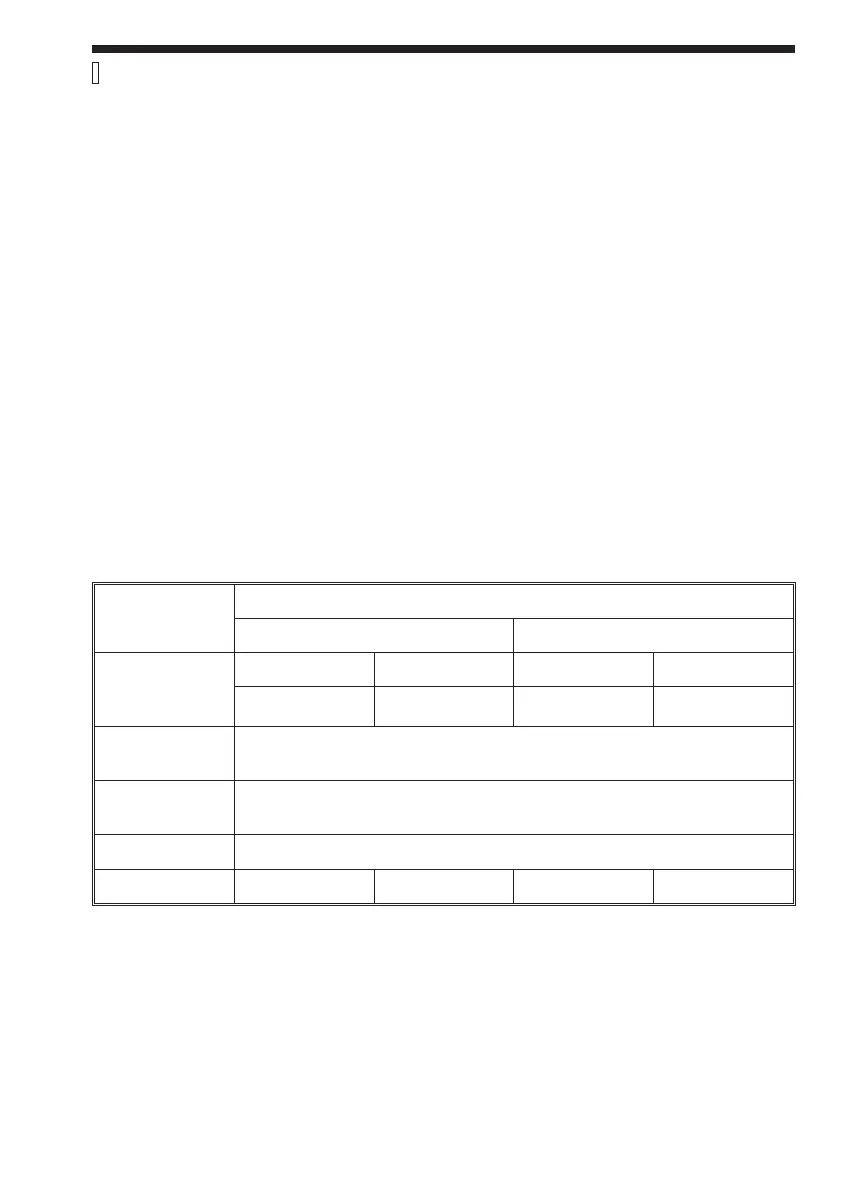
Parameters <array size> sets the number of measurements in the array. See table be
-
low.
<Measuring Function>, <Parameters>, and <Channels> are defined on page 8-54.
Example:
SEND®
:CONF:ARR:PER 8 (7),5E–3,1E–6,(@4)
This example sets up the counter to make seven period measurements. The ex
-
pected result is 5 ms, and the required resolution is 1 ms. The EXT ARM input is
the measuring input.
To make the measurements and fetch the seven measurement results:
SEND®
:READ:ARR? 8 7
READ¬
5.23421E-3,5.12311E-3,5.87526E-3, 8
5.50345E-3,5.33901E-3,5.25501E-3, 8 5.03571E-3
Function
Array Size
Interpolator Calibration ON Interpolator Calibration OFF
Freq, Per &
most other
functions
CNT-90 CNT-91 CNT-90 CNT-91
375 k 1.9 M 750 k 3.8 M
Smart Freq
&Per
30 k
Volt (Max,
Min, PTP)
10 k
Volt Ratio 30 k
Totalize NA 3.8 M NA 3.8 M
Note: To find out the maximum number in your particular case, do the following:
1. Make all settings not affected by CONFigure
2. Send :CONF:ARR:<meas. func> MAX,(@<channel>)
3. Send Query :TRIG:COUN? to see the maximum number of samples for this
measurement
Complies with standards: SCPI 1991.0, confirmed.



 To Next Page