77420 - 52/107 -
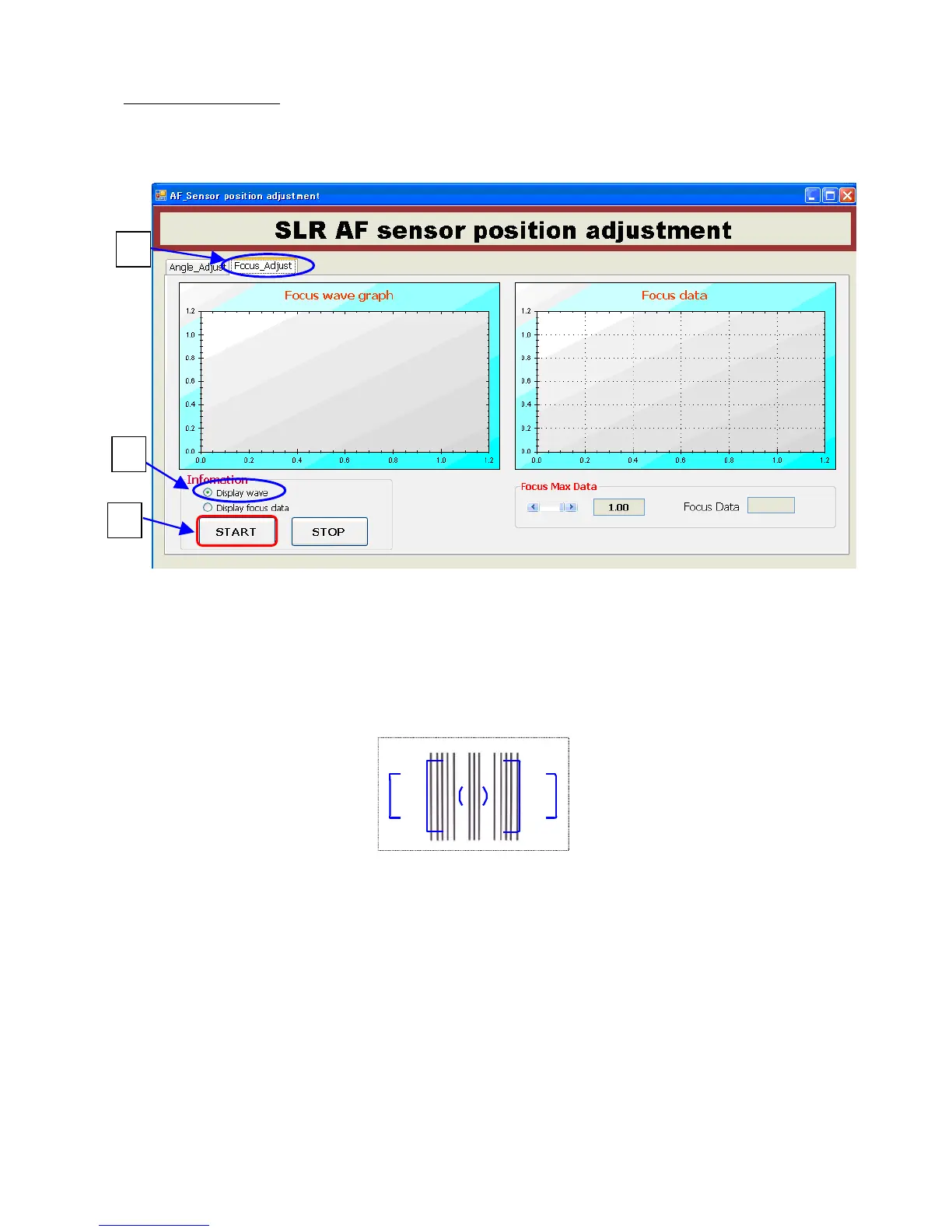
21-3-3.Focus Adjust
①Click [Focus Adjust] tab.
②Below screen will be displayed. Click [Display wave].
③Click [Start].
④Set the camera.
Set the 2m AF chart (No.1) and attach the 2m AF master lens to the camera.
*Set the chart with blow condition.
1) Distance between camera mount and chart: 1,954.5mm (=1.9545m)
2) Chart should be set center of lens axis and horizontal and vertical.
(following page)
②


 To Next Page