77420 - 5/107 -
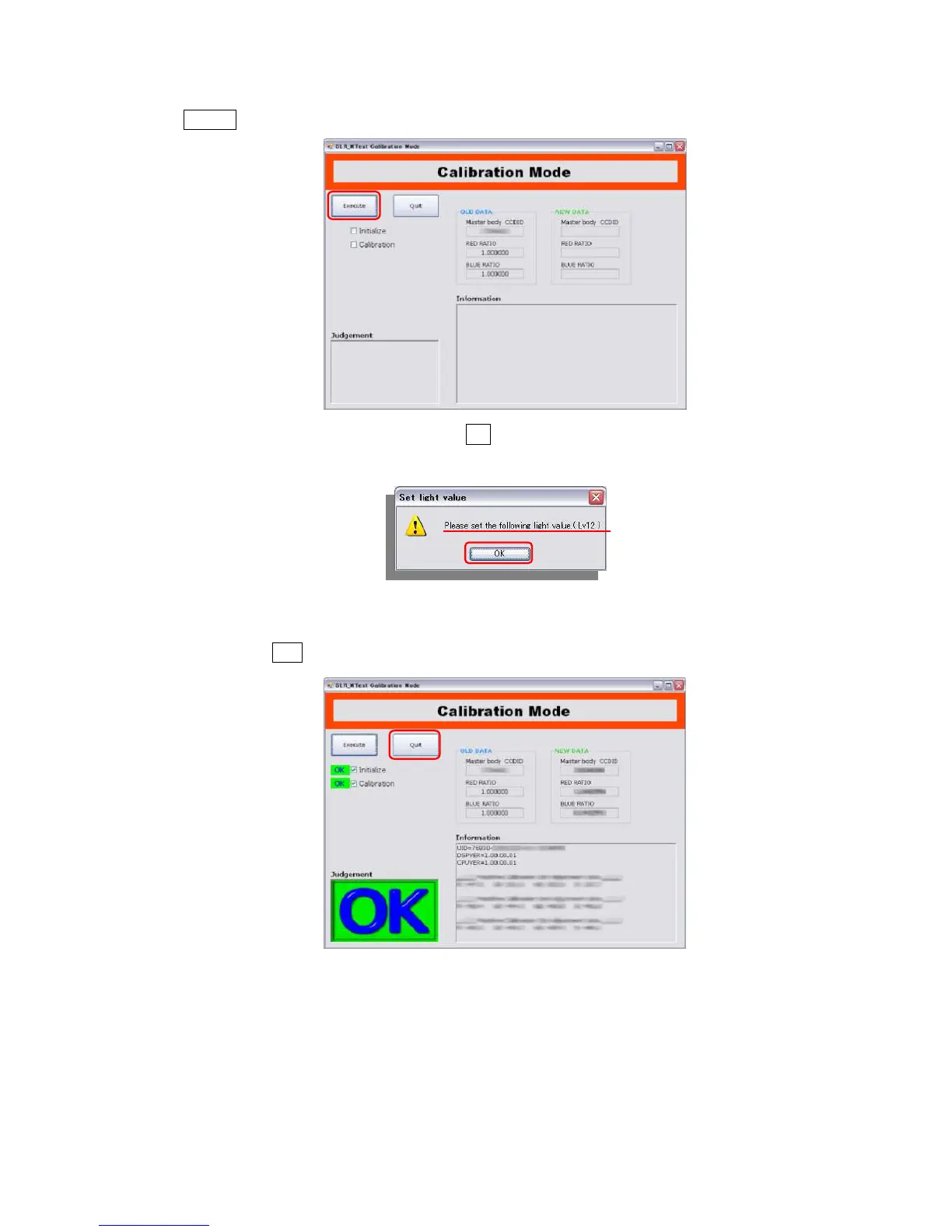
⑧Click Execute on calibration mode to start calibration.
⑨Confirm the light source is set at LV12 then click OK to execute.
(Shutter will be released 15 times)
⑩When calibration is completed, OK screen will be displayed.
⑪Click [X] button or Quit to finish adjustment software.
* If adjustment is NG, refer to [table of error code].


 To Next Page