77420 - 84/107 -
9-2. Adjustment (If necessary)
①Connect the camera to PC.
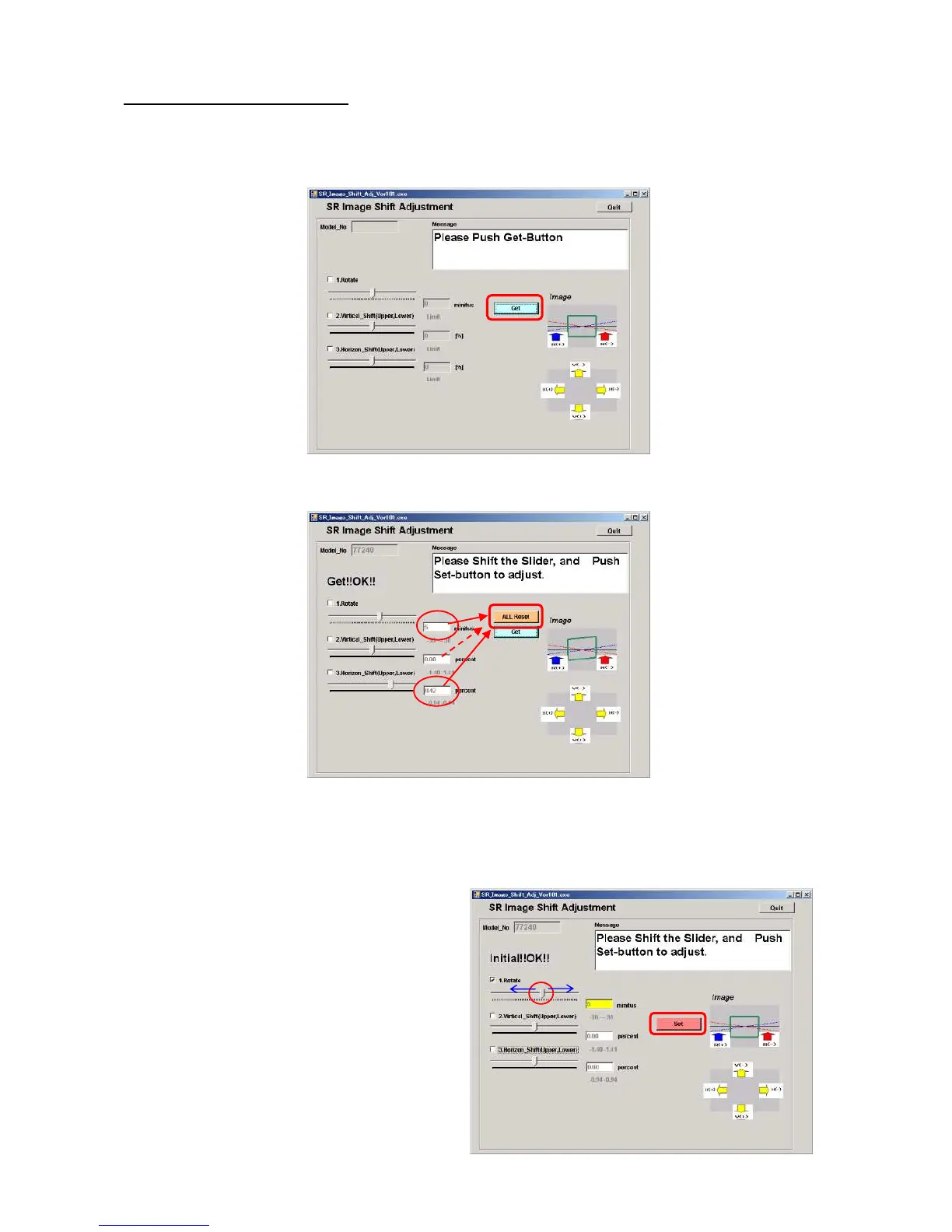
②Double click [SR_Image_ Shift_ Adj.exe] in [Rotation_Ver]holder] to start up software.
③When adjustment screen is displayed, click [Get] button.
④[Caution] If value is indicated other than zero, click [ALL Reset] to clear adjusted value.
⑤At first, adjust tilt by moving slide. If adjustment value is zero, go to next step.
(EX:+5′(minutes) +:Tilt image to counterclockwise)
⑥Click [Set]
When adjustment is completed, [OK] will be displayed.


 To Next Page