77420 - 85/107 -
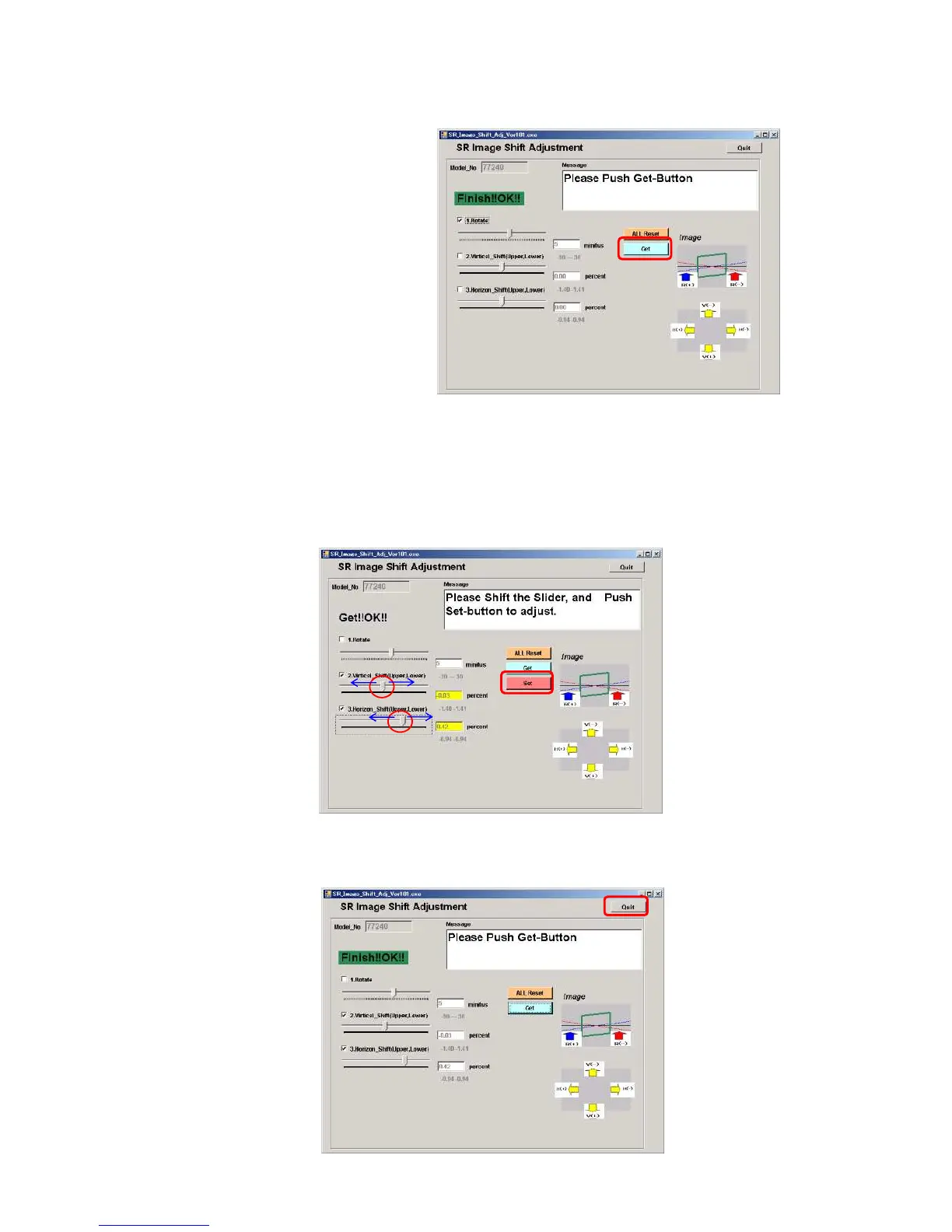
⑦Click [Get].
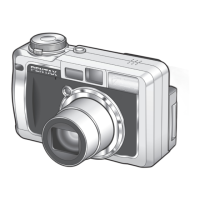
⑧Next, Adjust 2. Top and bottom and 2. Right and left by slider.
If adjustment value is zero, go to next step.(EX: Top and bottom -0.03 (- : Image shift to topside),
Right and left+0.42%(+:Image shift to left side)
⑨Click [Set].
⑩When adjustment is completed, [OK] will be displayed.
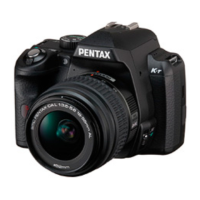
⑪Click [Quit] to finish adjustment.


 To Next Page